Christinas Reflective Journal
Course: Interactivity
Essay
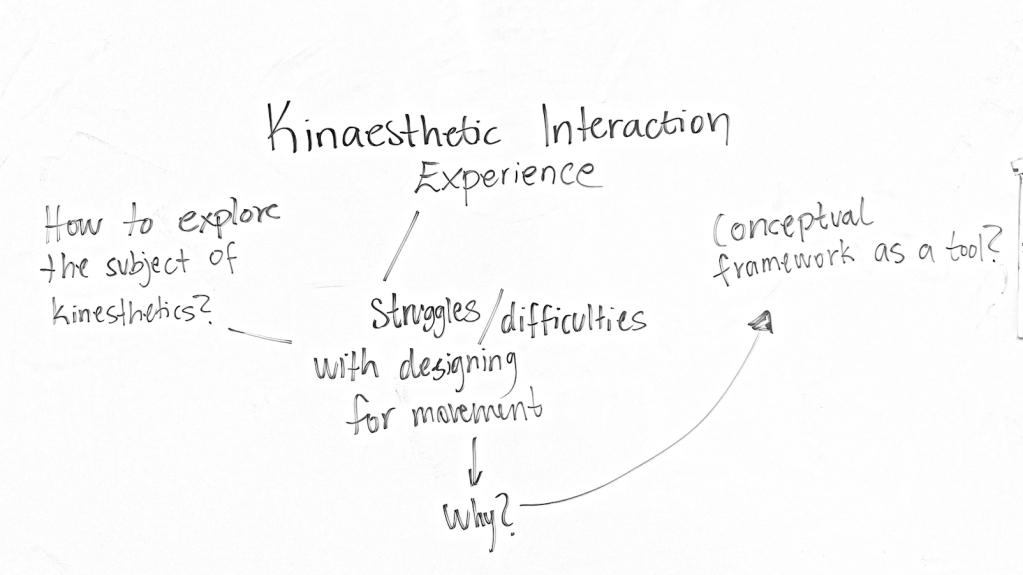
My first brainstorm of what to write in the essay, in the picture it says ”conceptual framework as a tool” and I’m referring to the paper ”Kinesthetic Interaction – Revealing the Bodily Potential in Interaction Design” (2008) by Fogtmann, Fritsch & Kortbek. I would like to argue for why the conceptual framework is a helpful tool when designing for movement…hmm I don’t know! I will have to wait a couple of days and see how I am feeling!
UPDATE: In the paper, the authors argue that technological constraints can enable for more exploration of the bodily possibilities and that is something that caught my attention. Maybe write about opportunities with technical constraints in the beginning of designing for movement.
UPDATE: I have been trying to write an essay within the subject above, unfortunately I am not done and will have to hand it in the next submission.
Module 3 – show ‘n’ tell and wrap up
We combined all the previous sketches that I have shown regarding this module and this is what we got as result. As you can see on the video above, I am avoiding to get caught by the ball. When being caught though, the ball changes color to indicate that something has happened and it’s time for me to catch the ball. The ball will feel when it’s close to any body part and will then try to avoid it and go the other way. We implemented this to give a sense of playful and challenging behavior to the ball – that it doesn’t want to get caught. When catching it between the wrists, I have control over it. Why we chose to implement this type of control when catching it is because we wanted to feel some kind of trust being given to us. It all circles back to the idea the there is a playful and kind interaction between the user and the computer. It want to play and be controlled as well as being a playful hunter.
Feedback
The feedback that we got from Jens and Clint was that we got quite interesting things out of very few means and Jens said: ”I tempt to wanna try it, it’s sort of intriguing.” That was nice to hear, it means that he actually thinks this is interesting to some sense. Another important they mentioned was that even though we were paying attention to the actual kineastethic experience, we didn’t really have a focus. Absolutely, it activates the body and brings avoidance but what KE is that? As well as it doesn’t really matter how the participant moves because the only ”mission” is to avoid the ball in the first state. So the participant is the one who brings everything to the table and depending on how he/she wants to move, changes the experience completely.
Both me and Isak understood the feedback and agreed on their input. Because even though we did analyze and payed attention the actual KE, we didn’t focus on some special movements, it’s was mostly about bringing out your playfulness, and considering we are all different individuals with different personalities, our perception of playfulness is different. But that could also be interesting in a sense, my perception of playfulness and what movements make me feel playful doesn’t have to the same for another classmate. We were really focusing on the participant to feel playful, whether it is jumping for me, or dancing your way around the ball for someone else.
What we would have done differently / what we would have developed
The ideas we had was that the size and speed of the ball would be based on our movement, and that the ball had a more direct approach towards the body, not just moving in random. We wanted to focus on one part and improve it, instead of multiple different stages. As well as draw more focus on how we do our movements and thereafter, how the machine responds and with what behavior. So it would actually matter how you were doing these playful movements, fast, slow etc, and not only that you were doing them.

We were also discussing of adding a lot of circles on the screen, making them smaller, so they would have been perceived as some medium instead of circles and balls. And from there, try to get them to move in a playful way depending on how the participant was moving. I am sad that we didn’t manage to develop our ideas further due to sickness, because I truly believe we got something interesting.
It’s been three interesting, challenging and fun weeks (except for the last one because we are sick). We have done our best and considering we both have been sick the last week, I am satisfied with what we managed to do. Even though there are a lot of improvements that can be made, we will bring the knowledge and feedback gathered during this module to future projects. Thanks to Jens for very engaging and educative lectures as well as constructive and fun coaching sessions!
I really have to say that I have learned so much during these nine weeks of three modules. And when reading my journal from the beginning to now, I do see a development in my reflecting and a progress in my documenting as well. I also feel much more comfortable with getting feedback and critic, I don’t know why but maybe because I now truly understand that the feedback and critic is only positive for me and my design processes. And the feedback and critic that I have got during these modules have only helped me to reflect more and really iterate on my design decisions.
Playful interaction
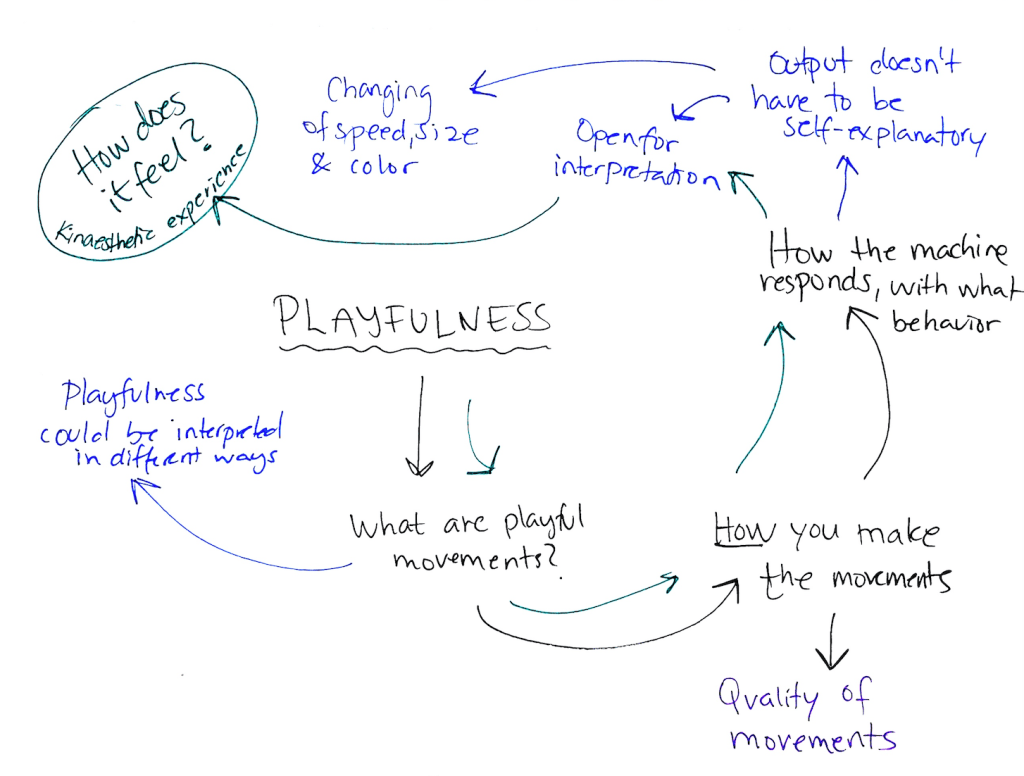
First day of last week and both me and Isak have been sick for a couple of days which has slowed down our process. But it’s the last week an only a couple of days left to the last show & tell. We have explored the theme playfulness and what movements that represents playfulness. Our problem is that we have a sketch, as mentioned in earlier post, that is very on or off. And it jumps to different states and it is interesting the first 5 minutes but not longer than that. After speaking with Clint and explaining our struggle, he told us that instead of focusing on that you make the movements, focus on how you make them. So instead of just jumping around and trying to avoid the circle, try to focus on what happens when you are making big and powerful movements versus small and careful movements – quality of movements. And then, how does the machine respond and with what behavior?
We have also been thinking about concepts and designs and behaviors that are obvious in a way, but Clint also told us that the output from the computer doesn’t have to be self-explanatory and instead open for interpretation. So we have taken a step back from our ”final” sketch and will try to give some nuance to playful movements and the output which is the ball right now only jumping to different states.
Playfulness & insights
Today we succeeded with all four things we wanted to do with the code. What we immediately realized was that combining two sketches that are interesting when they are their own sketch, turned out to be not so interesting. Why it stopped being interesting we think, is because they kind of work against each other and they generate different kinds of aesthetic experience. The sketch where the ball is chasing you, you are constantly moving around in order to avoid getting caught by the ball. So the ball encourages or maybe even challenges you to move around and jump and lay down and do all these movements that you wouldn’t usually do. And that kinaesthetic experience is something that we are really striving to feel. To not care of how it looks when you move, to not stand still and to only be focused on the interaction between you and, in this case, the ball/circle.
But what happened when we implemented the function where the table turns and you are the one chasing the ball. We quickly realized that our keyword ”playfulness” disappears and you are no longer obligated to move around as much. You could basically just stand still and the ball will avoid being close to you and whenever you feel ready to start playing with the ball again, thats when you actively choose to catch the ball (which isn’t so challenging or difficult to do) and then it starts from the beginning again and you are being chased. The kinesthetic experience we get from being chased, disappears in this phase and the whole interaction that we really enjoyed and found engaging, changes to a poor and not so challenging interaction.
So thats quite boring because we did have some expectations of how it would feel to experience both of the sketches in one and when actually trying it, it wasn’t as satisfying and interactive as we thought. I wouldn’t say its a dead-end because we did get these insights from actually trying it, and now we have a lot of different sketches that can definitely be more nuanced and more evolved.
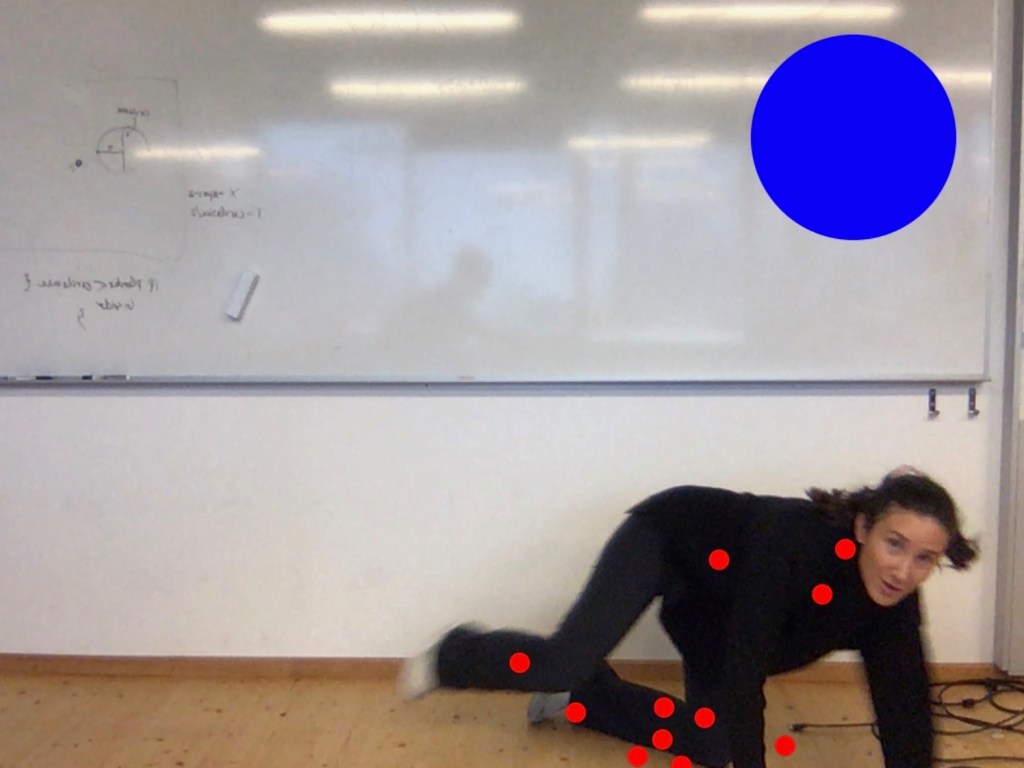
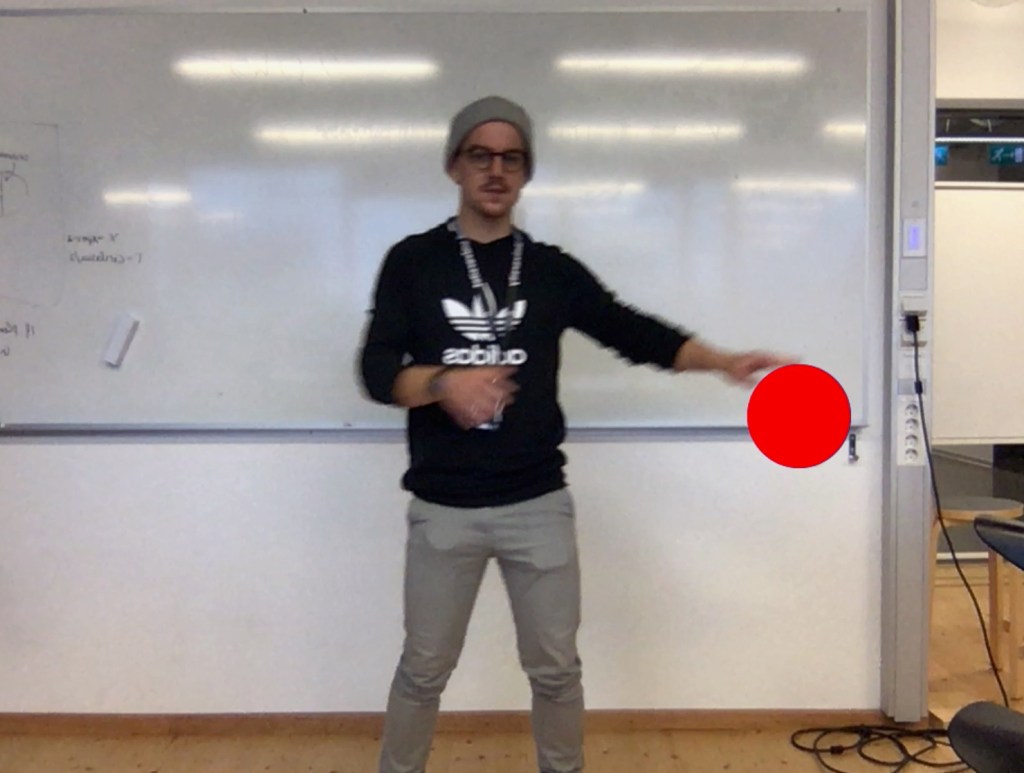
Picture 1 is illustrating me trying to avoid getting caught by the ball. Even if this is only a screenshot of an actual movement, it is a obvious difference of my movement and Isaks’ movement where he is standing and basically only moving around his arms. And thats what Im trying to explain the text, the kinaesthetic movement and the playfulness that we are working with completely disappears when you are in the state that you are chasing the ball.
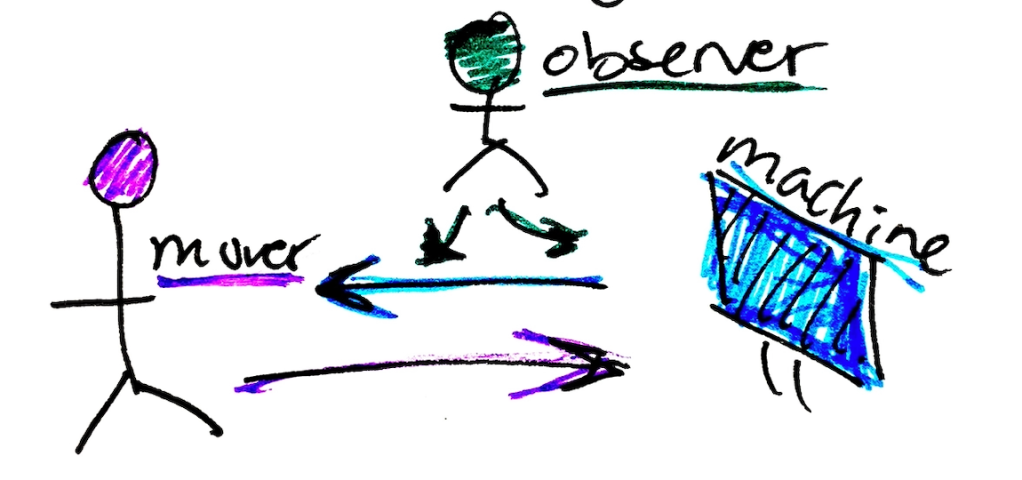
Before reading the paper ”Moving from experience to interaction design” by Loke, L., & Robertson, T. (2010) I had never thought about the different perspectives of kinesthetic experience. The observer, the mover and the machine. It opened up a new way of thinking and being aware of this really draws attention to everything that is happening in the video, and not only that Axel is moving and interacting with the machine.
Anyways, we had our classmate try out our sketch. When discussing with him afterwards he told us that he liked it because he is childish. And that’s kind of what we wanted to hear. He felt like a child playing with this ball on the screen and he wasn’t ashamed of the movements he was doing – his focus was on him and the ball. At the same time I, as an observer can see that he also wanted to be funny in front of us, we were a couple of people watching and of course that affects how he is choosing to interact with it, I can see that he maybe even exaggerated a bit to make it interesting and playful for us to, as observers. This however, are my thoughts and my observations, I can not say if it’s true or not but I still believe it’s an interesting interpretation.
Kinesthetic Interaction – Revealing the Bodily Potential in Interaction Design
Now when I have read the article by Fogtmann, Fritsch & Kortbek named ”Kinesthetic Interaction – Revealing the Bodily Potential in Interaction Design”, I wanted to share some thoughts I got. I immediately found interest in the kinesthetic experience and & ”motor memory” they write about. They explain that based on the physiological definition of kinesthetics (which is the awareness of the position and movement of the body in space) kinesthetics experience portrays how the kinesthetics sense bases our everyday actions in the world as moving bodies. They refer to Merleau-Ponty who states that our perception and understanding of the world is always established in our bodily movement in it. With other words, our experience of the world is always grounded in the body which means that kinesthetics is the foundation of our perception of the world. They keep referring to Merleau-Ponty who states that kinesthetic experience can be intentional and our acting in the world is always mediated which is referred to a ”motor memory”, which consists of motor skills and the kinesthetic memory of doing them.
I personally have never thought about myself having a motor memory and unconsciously searching through it when interacting with my surroundings. I’ve only thought about mind-memory if that makes any sense. Things I remember that I have learned in forms of, movies I have seen, people I have got to know, articles I have read… but when reading this article I understand that when I learned to play tennis as a child, I learned by doing it. By actually performing the movements you do in tennis, over and over again. I wasn’t sitting with my trainer and talking about how to do a backhand, I went to the tennis-court and practiced how to perform it correctly. So, if I have perceived the term ”motor memory” correctly, I would say that I was filling up my motor memory by practicing how to perform a backhand and every time I did perform it, I used my motor-memory to do it. I would also say that, while playing tennis, I did go after feeling. I constantly tried out different ways to approach and hit the ball and immediately had a sense of how that particular way of hitting/approaching felt. As well as getting a result of how and where the ball lands on the other side of the court. So I was constantly thinking and analyzing of the kinesthetic experience and how I could change my movements in order to get better and evolve.
Why I chose to mention my tennis experiences is because in the article, they write about the computer game Nintendo Wii Tennis that uses the Nintendo Wii as a tennis racket to control a player in the game world. They explain how Wii Tennis activates the user of the system and thereby provides ”a kinesthetically engaging experience of interacting with the virtual world in relation to the gameplay.” According to the authors, the movements are related to the gameplay and not to the movements of other people therefore there is no kinesthetic empathy in Wii Tennis. They explain that even though the Wii engages and encourages the users kinesthetically, the development of new motor skills that can be transferred to the tennis court directly, is missing.
So the game offers and invites the user to perform movements that are simplified movements a tennis player would to on the court. And it doesn’t really encourage the user to go beyond and explore new ”tennis-movements”. With other words, the design of this game is a representation of a real-life tennis game. As they write in the article: ”A design can either help mediate existing movements or physically change a person’s movement patterns.” I will discuss this further with Isak and see how our design could maybe encourage us to move in certain ways we usually wouldn’t.
Playful collaboration
After exploring different approaches such as social interaction (doing something together as participants and collaborating with each other) and then the interaction between just one person and the machine (that simply made us feel playful) we have come to the insight that we want to focus on collaboration between user and computer. We want to look beyond a ”push-bak” from the computer, just avoiding or being shy. We have decided to try and find a way to make the interaction a playful collaboration, where the computer and the user just have fun together. We want to avoid gamification and a ”mission”, and just focus on a playful time, like two children playing. How can we do something that pushes us or the user to move in new and maybe even unexpected ways?
What we want to do in the code tomorrow on Wednesday (week2) in order to explore and try out a playful collaboration.
- Get the ball to react on the body parts and bounce of to a different direction
- Change color/state
- Get the ball between our wrists and control it
- Go back to the state where the ball is chasing you
Implementing interactivity
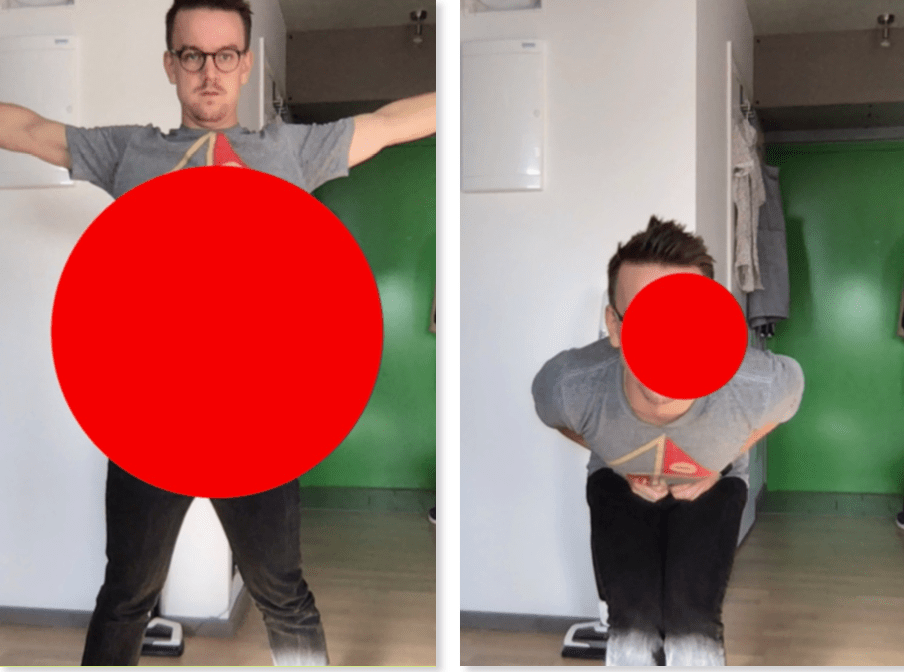
So we succeeded to make a circle on the screen that reacts to our bodies. It becomes smaller and bigger depending on how much space you are taking. We did this to try out some sketches and just see what movement they would encourage us to make. Although the ball basically just is a representation of your movement. As you can see in the pictures, when Isak is taking a lot of space with his whole body, the ball takes a lot of space as well and vice versa.
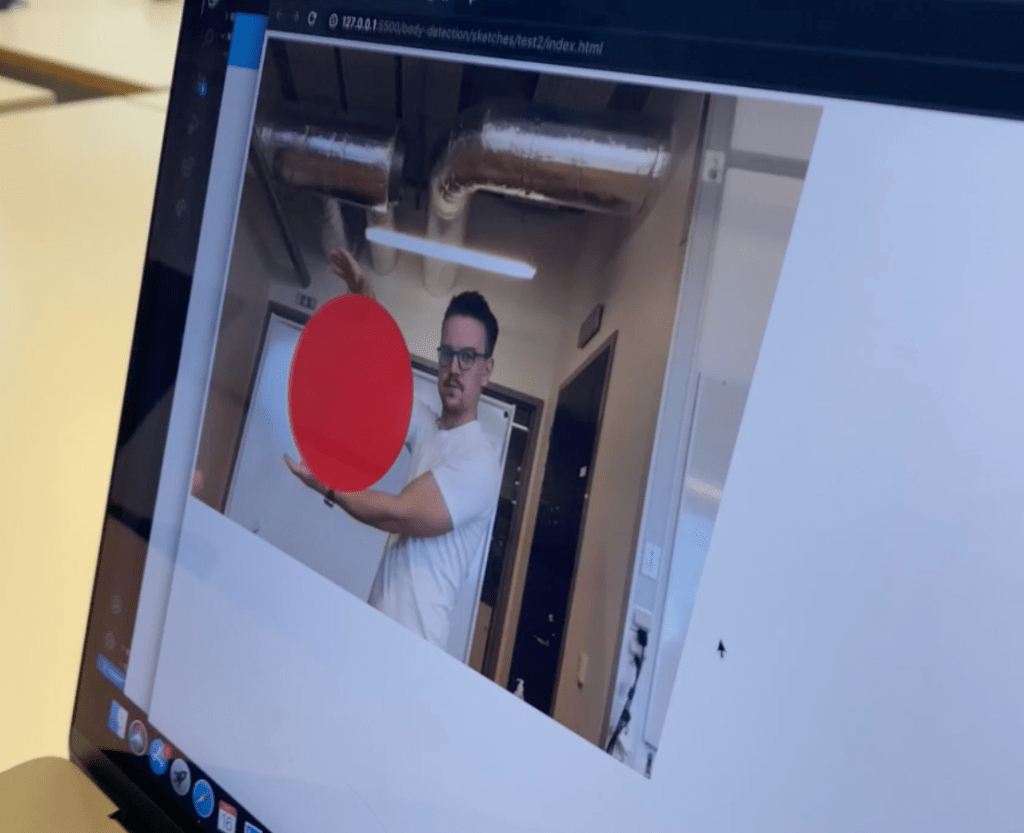
Another sketch we tried was to control a circle between two bodyparts. In one sketch we used distance between wrists and in another one we used distance between knees. We thought the sketch where you can control the ball between your wrists was interesting, because you are controlling something on the screen, which we thought was pretty cool. It was interesting to have a sense of control, how big the circle would be as well as where
it should be located inside of the canvas.
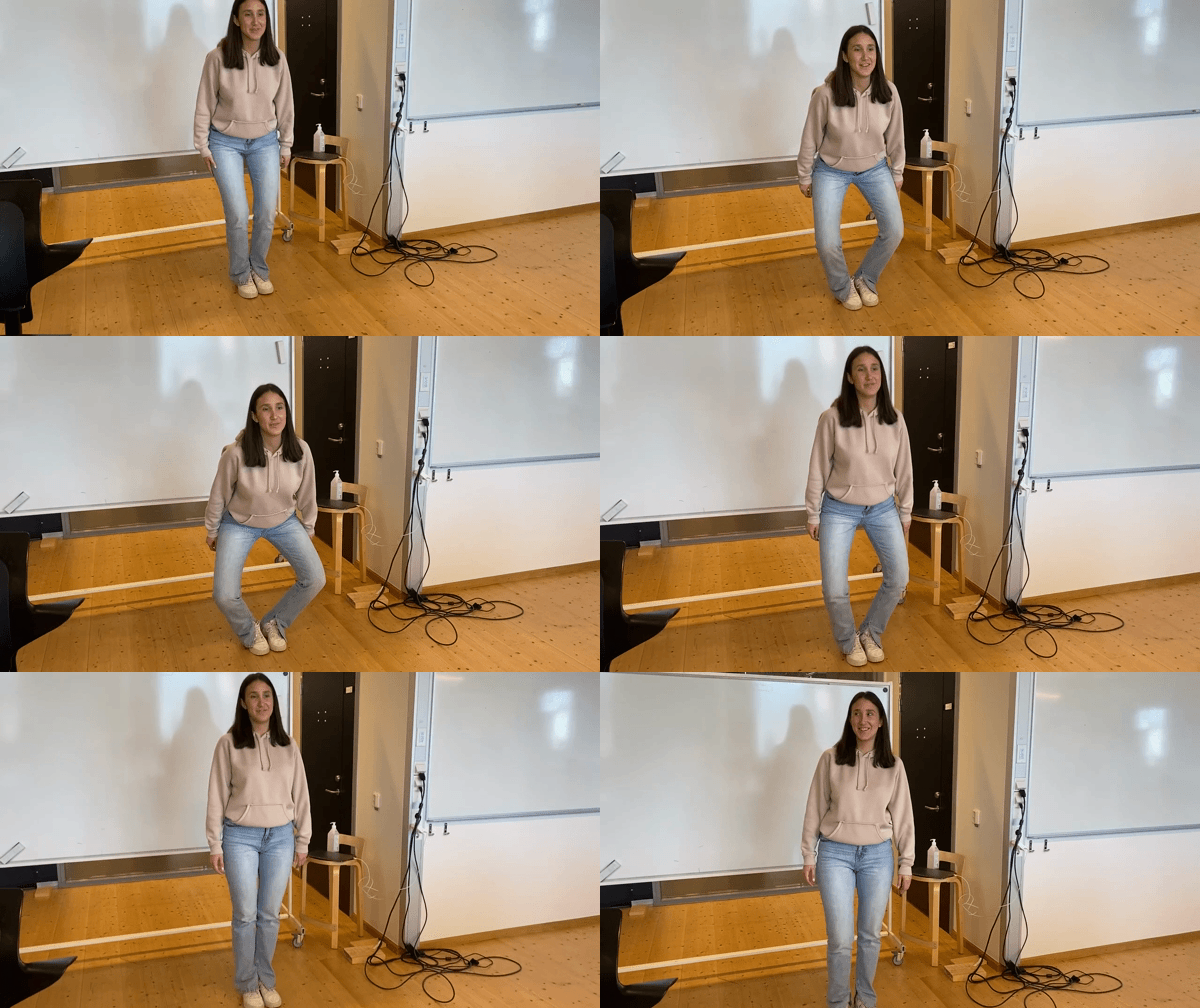
We also changed the position from the circle being between the wrists to the knees just to explore how that would change the experience.
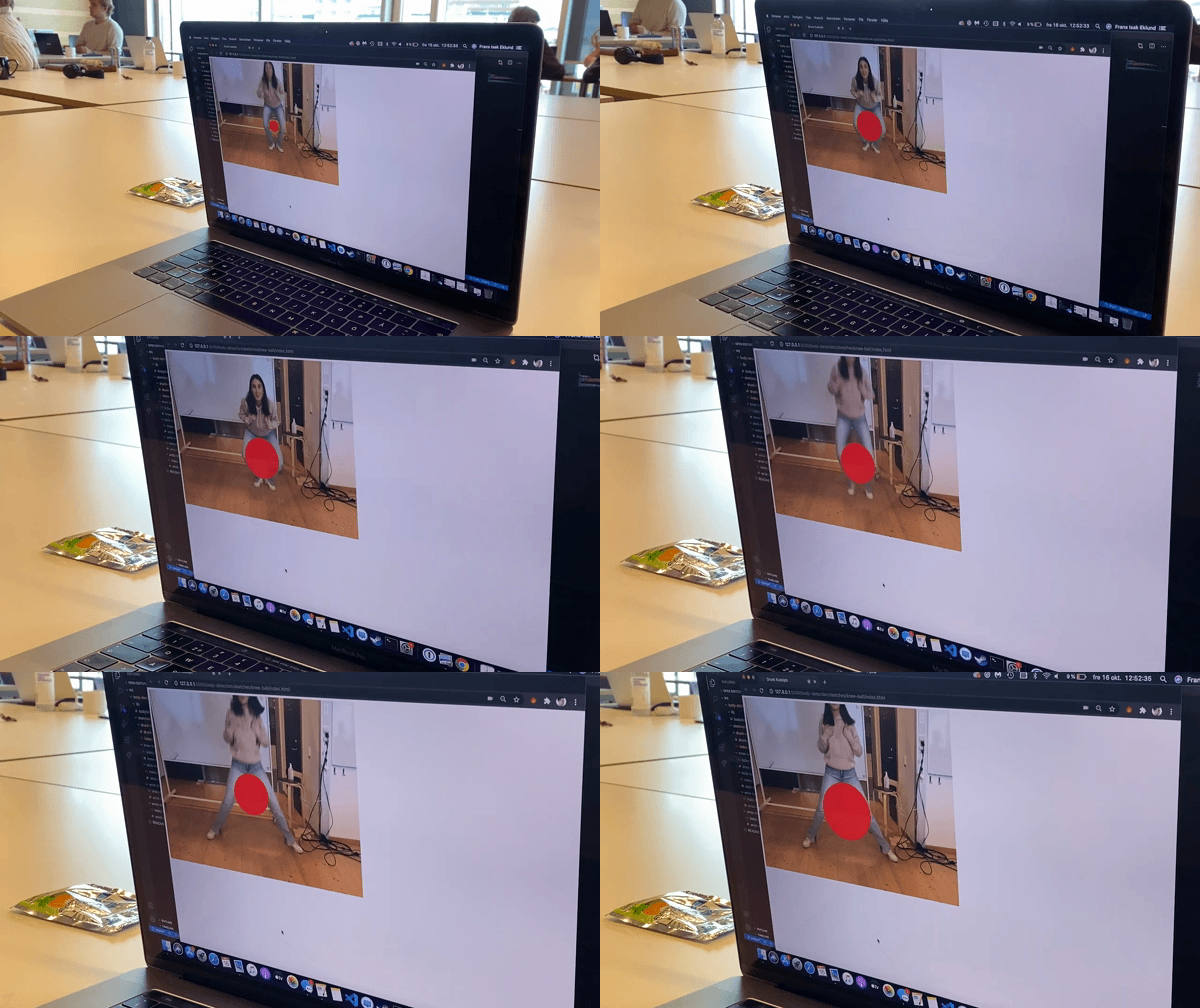
We often use our hands on a daily basis… of course we use our legs while we walk, stand up etc, but when it comes to doing gestures, Jens talked about how we often use our arms and hands and that is why we experimented with this, and quickly got the insight that 1. from a social perspective, our classmates started to look more at us and asked what we were doing. We interpreted it as it was a bit weird in their eyes what we were doing. Even though they were aware of the module being Kineasthetic experience.
Another approach of interaction
This would be another approach of the interaction, more focusing on the social interaction instead of the interaction between the human and the machine. This creates a more ”we”, we are doing something together as participants, rather than spectator and participant. Interesting here is to see how we interact with our bodies towards one another and how we do specific movements towards each other that usually would be quite awkward or maybe even uncomfortable, but instead it became dun and engaging due to the fact that the ball created some kind of medium between us. The focus was more drawn to the collaboration of keeping the ball between between the hips and making it bigger/smaller together.
Playful between participant and machine
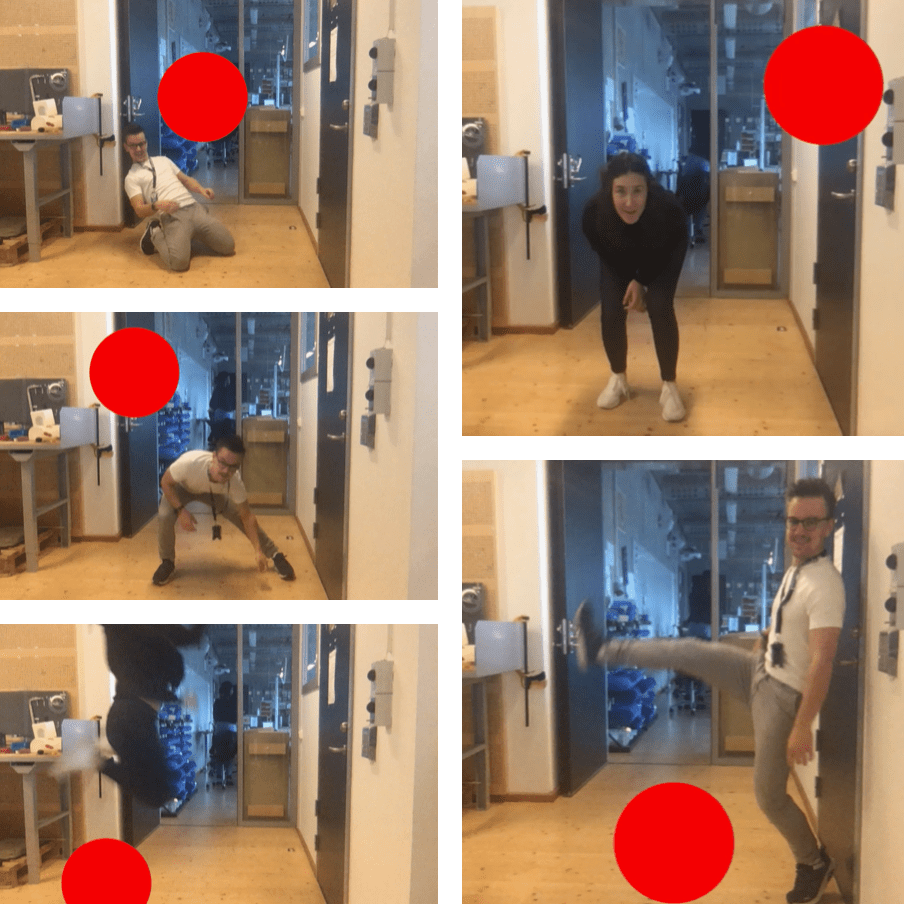
We added a large ball on the screen with a random movement, and setting a constraint: don’t touch the ball. This sketch is not very nuanced at all, but we found it to be engaging and playful. And even when we had a classmate try out this simple sketch, we got the answer ”I like it because Im childish”. We found something engaging and most importantly, fun and interactive (even though this particular sketch still isn’t interactive because the circle is not reacting to our bodies yet). We still see some potential in this and will develop this further.
Exploring bodily movements and code
Today me and Isak started to play around with the code just to get to know it better. When Jens explained the code, I felt comfortable with the code and I really thought I understood it but its not until you actually have to create something yourself that it becomes hard.
Anyways, Im not gonna dwell to much about how I have a hard time understanding the code etc…me and Isak discussed what movements are interesting for us to explore. We immediately started to think about how it feels when you are sitting and working on your computer and in the beginning of this ”work”, you are alert and sitting in one way, but as the time goes, they way you are sitting changes which changes they way you feel, if that makes any sense. So our initial plan was to create some kind of output depending on how you are sitting. We wanted the data to symbolize a friend that reminds you to stay alert and to think about your body language and they way you are sitting. We told Clint about this idea and he told us that its to much of a concept, having something to remind you to sit ”properly”, and that this idea is more of a product than actually an interesting interaction. And thats very true, I think thats the hard part for me, to not think too much about concept and actually try to take a step back and find something interesting about the bodily movement and the interaction between me and the data. It doesn’t necessarily have to be interaction just between me and the data, there could be material included as well and the output doesn’t have to come from the computer.
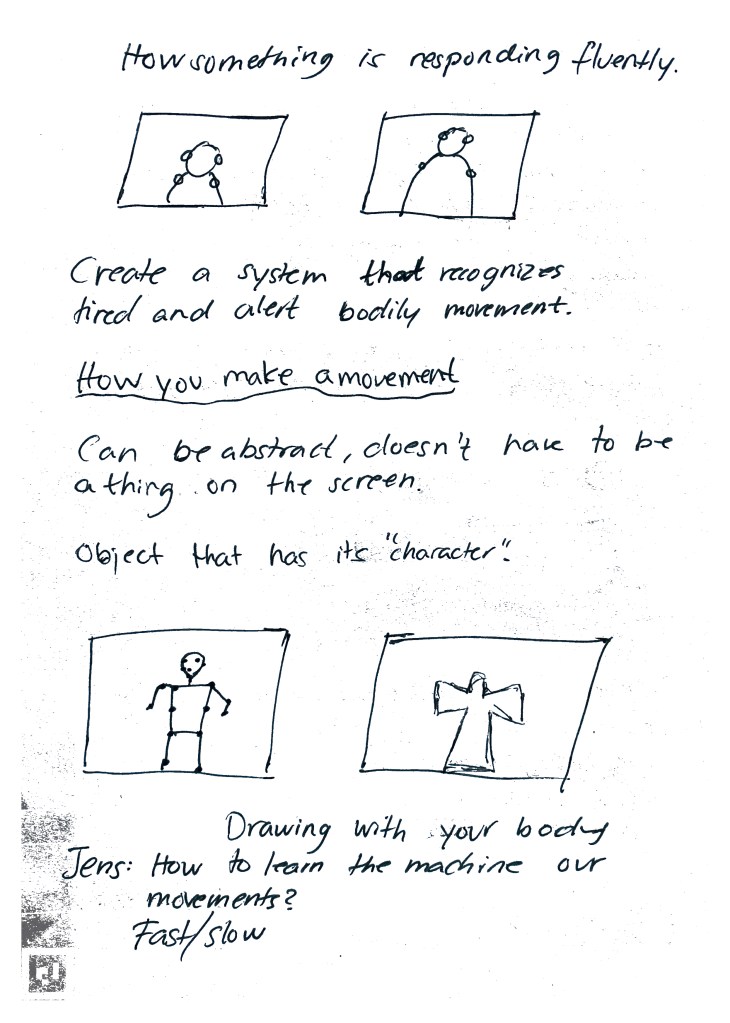
After the coaching session with Clint, we took a step back and tried to focus on bodily movements and not concepts and products. What we need to focus on is how you make a movement instead of you making it. And the output can be abstract, it doesn’t have to visualize something that we know, for example a tree, it could be something that is abstract but still has its own character. We did some brainstorming that we will try to pursue tomorrow when we see each other again:
- Draw effect, draw on the screen with your body. And whats interesting about this is not what you are drawing, but how you are doing it. Depending on if you are moving fast, or moving very powerfully, or slowly and carefully, or maybe even powerfully but slowly… changes the way you paint. We wanted to explore this idea further because we think we could actually explore different movements that you don’t usually do on a daily-basis. Maybe even explore uncomfortable ”movements” and how it feels
- Play music with body and constantly get sound feedback by your movements. Why this is interesting is because we refer to dance and how music depends on how you are going to improvise and how you choose to move (fast, slow etc). But in our case, the music would depend on our movements and how we perform them. And maybe it would be interesting to then implement a pattern that the machine recognizes so instead of only making a sound out of your movements, it memorizes your movements and thereby changes sound.
- Third thought we had was about collaborating with the machine. So you have to get to know the machine and its behaviour in order to actually be able to interact with it. And then in some way, be able to collaborate with it but not in a ”game” way, for example Just Dance, where there is a body showing on the screen what movements you are supposed to do in order to gather points. But instead a collaboration that is more abstract but could maybe create a feeling of having a relation with the machine. I don’t know how that would me done but I think its an interesting thought.
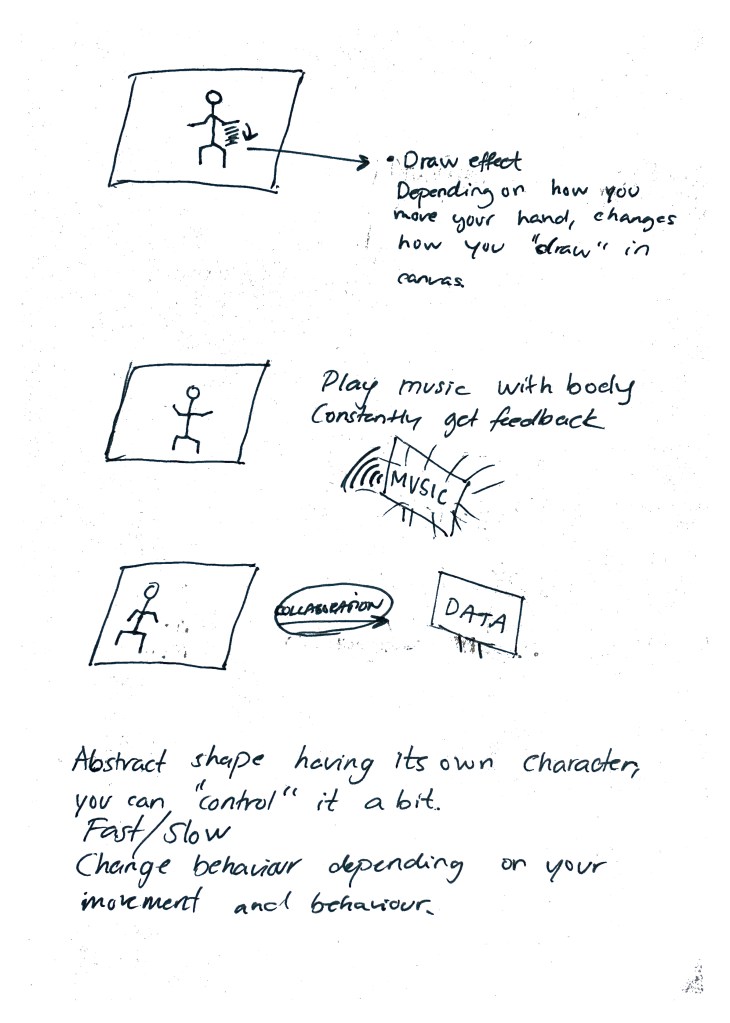
Tomorrow on the last day of the first week, we will try to make these ideas with the code just for the sake of trying them out. Because there is a difference of discussing bodily movements and doing them, to actually doing them and getting some kind of visualization and output. Thats when you actually get insights of how it felt, what was interesting and what could be more explored.
Module 3
Today we had introduction to Module 3 which is about using machine learning as a material to explore kinesthetic interaction (bodily movements/gestures). Explore the experience of kinesthetic movement itself – how does it feel? What is the bodily and social meaning? He talked a lot about experience and how we are built by experiences, and thats how we should interpret the machine learning as well. We build up a sense for things by experience and examples and instead of only creating one logic in JS, we should create multiple examples and train the model through different examples. So ML i about teaching the system to understand data without explicitly writing your own algorithm.

Furthermore Jens talked about how the way we move changes how we feel and the way we feel changes how we move. Which I really agree on. Even if I haven’t thought about it, but the days that I feel sad or down, I know that I’m walking differently in comparison to when I feel happy and confident. I don’t really know why it is like that but I think that, how I am feeling inside, is shown on the outside. And thats quite interesting when you think about it! The awareness of ourselves in motion is closely related to feeling and out body movements are socially disciplined as well, we do walk depending on how we think is socially accepted. If someone is walking silly, by silly I refer to Jens silly-walk he did in the classroom, and he told us that if he walked in like that in the classroom, we would all wonder what is going on, because thats not how we expect him to walk in.
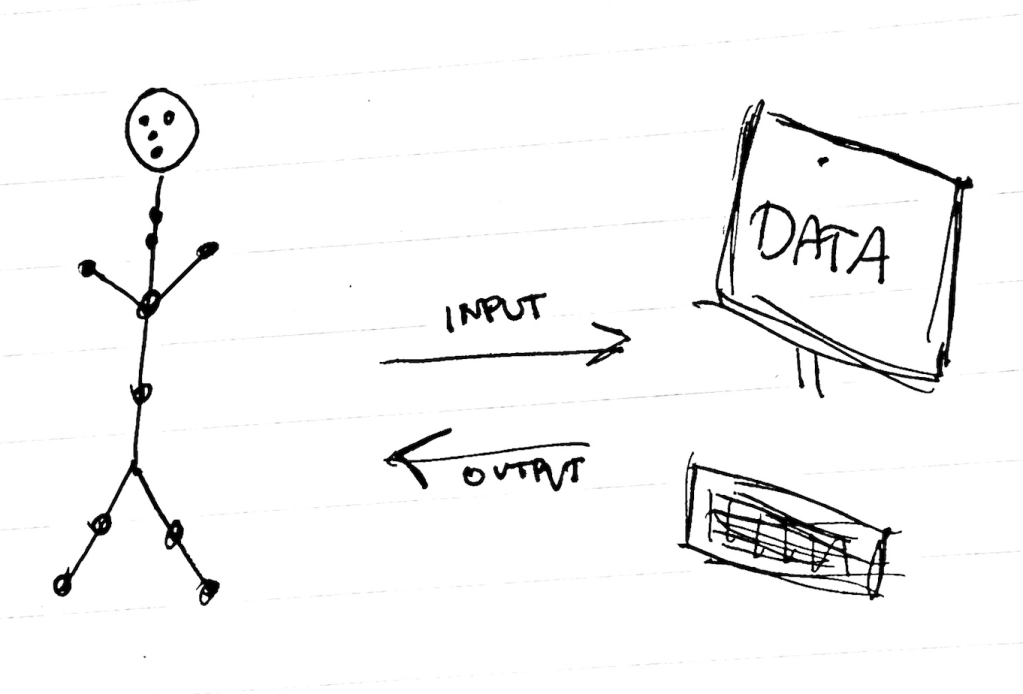
Another interesting part that Jens mentioned is how we, by training the system with examples, we give it some kind of prejudices. Because if the system recognizes patterns, its going to have prejudices. And what prejudices it is gonna be, depends on what examples you train it with. Basically, you train the data and interact with it with input and it gives you some kind of output but it should not be the typical command + control interaction, instead a behaviour that has been trained.
I am excited about this module and at the same time I see it as a challenge because firstly, it is JavaScript (very very difficult for me) and secondly ML both kinesthetic interaction is new for me. So for this week I will do my best to understand the code (Jens had a good introduction to the code and explained most of it) but still, it takes time to feel enough comfortable with it to actually create something and start thinking about movements that could be interesting to explore.

Playing around with code, put the dots on the eyes to measure distance between eyes and to see how distance changes when my distance to the computer changes. With purpose of getting to know the code and understand it.
Module 2 – show ‘n’ tell and wrap up
We are done with the show ‘n’ tell of Module 2 and I have to say that I am satisfied of how it went. We got constructive feedback and I will bring that with me to future projects. Here are some of the things that the teachers told us:
- Elaborated story can make the complexity and the showing less clear. Dangerous to include a complex story and then visualize it.
So we did start the presentation with explaining our process of course but as well as taling about this concept of an animalistic behavior. And when we showed the interaction, it didn’t really measure up to the level of the story we had. So I have to think about next time to actually be able to visualize the story that I have. - How we used a single output and making it into two ”lights” was a creative decision.
- Abstract look – The manifestation was intriguing, the eyes makes a ”sci-fi” impression – Jens
It was nice to hear this because we really wanted our ‘creature’ to be open for interpretation and with this comment, I absolutely think we succeeded considering some of the classmates had other interpretations as Ive mentioned in the journal. - Consensual interaction, sensitivity to the interaction – Clint
- You have to earn the trust before you can play – Jens
Some quotes that both me and Johan wrote down during the feedback, I think this is also something that I have brought up in the journal before and that it’s something that we have discussed. Maybe we did not put to much discussion in to it but still interesting to hear that it is something they also thought about. The interaction becomes a bit explorative when you don’t immediately know how it works and what’s happening. So you are really building up knowledge about this creature and its behavior and at the same time building up trust and a relationship with it. So it all goes back to something being built up, what we discussed and found interesting in the beginning. - Explored memory more? Base the interaction past experiences with the creature – Roel Does the character change/evolve depending on your behaviour?
Also something that we have been trying to implement with the part that it counts every time you scare it and add a certain amount of time for it to be calm again. But this is absolutely something we would have continued exploring if the module was at least one week more. I agree with this statement by Roel and it would be interesting to see how we could change the character based on our behavior and in what ways. - Using your whole body, instead of using your hands
Something that they thought was interesting and I wonder how the interaction would have felt if we used our hands and did not utilize the four meters that the sensor can feel. It would absolutely have changed the interaction and also the whole ”point” and story that we had. I think it is the fact that we used a whole-body experience and the whole body to interact that really made it interesting. Because you were really approaching something and not only with your hands. - A lot of expressions based on physical interaction, while we were one of the few groups that based the interaction on spatial interaction – movement in a space
I think also something that we thought about and the teachers told us that we could definitely have developed it further, so there would be more spatial interaction in forms of not only different ”states” but to constantly get feedback of your distance to the creature.
We will bring this with us to future projects. I am glad we narrowed the design space to one LED because it really challenged us to be creative and think of what we can do with one single led. Find the strength, get to now it and then know how to use to express ourselves, as Roel said in the beginning of the course. Thanks to the teacher for coaching us and special thanks to Roel for a challenging, intensive, educative and suuuperfun module!!!
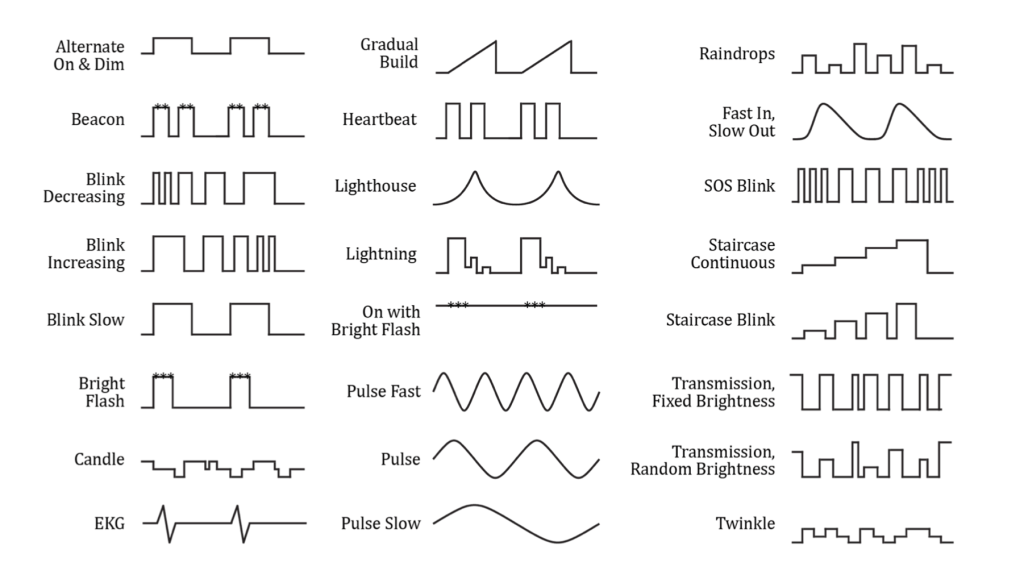
I have to add that the paper ”Unlocking the Expressivity of Point Lights” by Harrison et.al has been very helpful during this process of exploring light patterns. Specifically think about the light patterns they present that has inspired us. ”Gradual Build” in the middle on the top is what started our approach of our final behavior and interaction.
Expressivity of the light
I will try to explain the expressivity of the light and the whole interaction that we have created. On the show ‘n’ tell, Roel recommended us to show the interaction in real life, so actually do the interaction in front of classmates teachers instead of recording a video of it. He is definitely right and we will ask everyone to gather in one corner and watch as we do the interaction and at the same time, explain it. But for the journal, I find it hard to really explain the interaction and show the light and everything. But I will do my best, here we go! I will start with a video of Johan interacting with the prototype (where you can see Johan and the prototype) and I am explaining what is happening at the same time.
Unfortunately you can’t really see the light clearly on the video above so next video will only show the light while Johan is interacting with it.
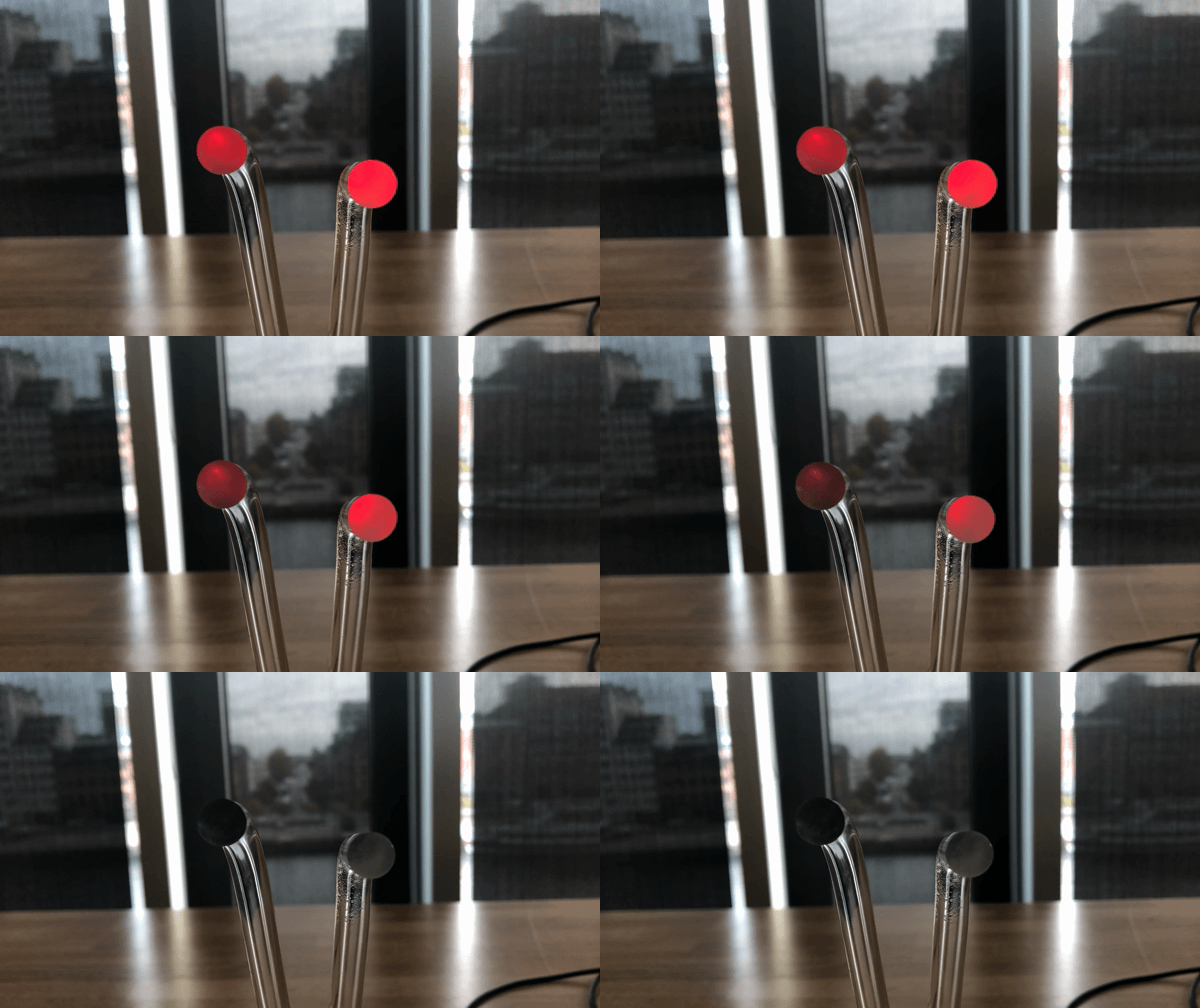
So from the beginning of our process, when the creature got scared, after a sudden brightness, the light turns completely off…and stays there as long as the sensor can detect you. Not until you are out of it’s range, the light slowly comes back again and starts to blink slowly. When shoed this to Roel, he told us that when the light is OFF, it’s not telling you anything. Of course me and Johan knows what you are supposed to do when it’s completely OFF, but for someone from the outside, they have no idea what to do because there is absolutely no information shown when the light is just OFF. He told us that even if it is in an ”off-state” it doesn’t mean that is has to be completely OFF. He encouraged us to take some time and discuss with each other and see what we could to with the ”off-state” to bring some indication of what is happening and some feedback of what to do as a person when interacting with it.
And this is how the final ”OFF” state looks like:
If you approach it to fast however, it will get scared and turn off and then start to blink fast if it still sees you and if you come really really close, you can see on the video that there is part of it where the light is flickery and we want it to express a defensive behavior where it is really angry and defensive. To indicate that you should definitely take some steps back and when you do that, it stops to flicker and instead ´, blinks fast, and when you are far away enough, it goes back to it’s calm behavior. But because you have scared it, it is going to take longer for it to actually have enough courage to be calm again.
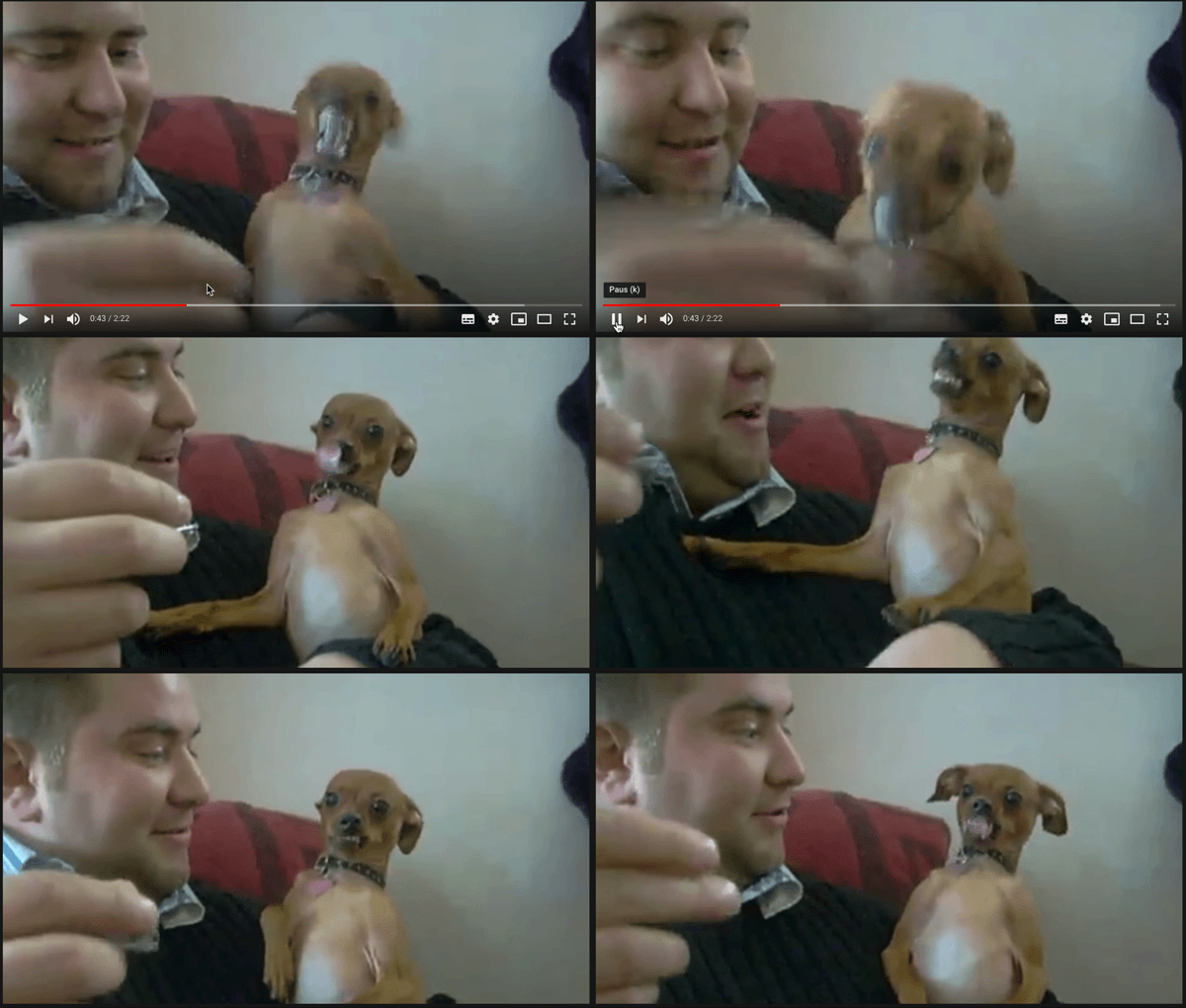
This is inspiration for defensive and angry behavior that we implemented as a flickery light to the LED. When he gets really close, the dog starts barking and attacking as its going to bite him which makes him immediately move his hand further away.
Gif made from part of a video uploaded by account ”Waggle TV” on youtube.
Link to the channel and the video: Waggle TV & https://www.youtube.com/watch?v=rWhIscEfU5M&ab_channel=WaggleTV
One change that was very important in this process is the calm blinking, at first we set the brightness from 0 to 100. Meaning that the light turns completely off and then increases in brightness again. When testing this on a classmate, she told us that it is very confusing due to the slow blinking because it gives the impression that it goes off because it gets scared and due to the fact that it is slooowly increasing in brightness, it can be misunderstood as if it is scared. We quickly understood what she meant and agreed. When showing it to other classmates, they had the same input on the brightness going all the way to 0. So we changed that number to higher and simply explored how it felt like it was actually calm and not just going from no brightness to an amount of brightness. This input from our classmates helped a lot because we realized it changed the experience and the ”calm” blinking now gave more impression of calmness. The illustration of the blinking from 0-100 can be found in the first post below this one, in the gif.

I made this mostly for myself to get an overview of how it can jump do different states depending on your distance and not only go to one specific path. One important thing we added that I don’t think I included in my ”amazing” videos above, once you have scared the creature, it is going to ”remember” that and take longer to go back to being calm. Implementing this to give an impression of the creature remembering your movements and your behavior so it does actually matter how many times you scare it which means you have to be careful with how you approach it.
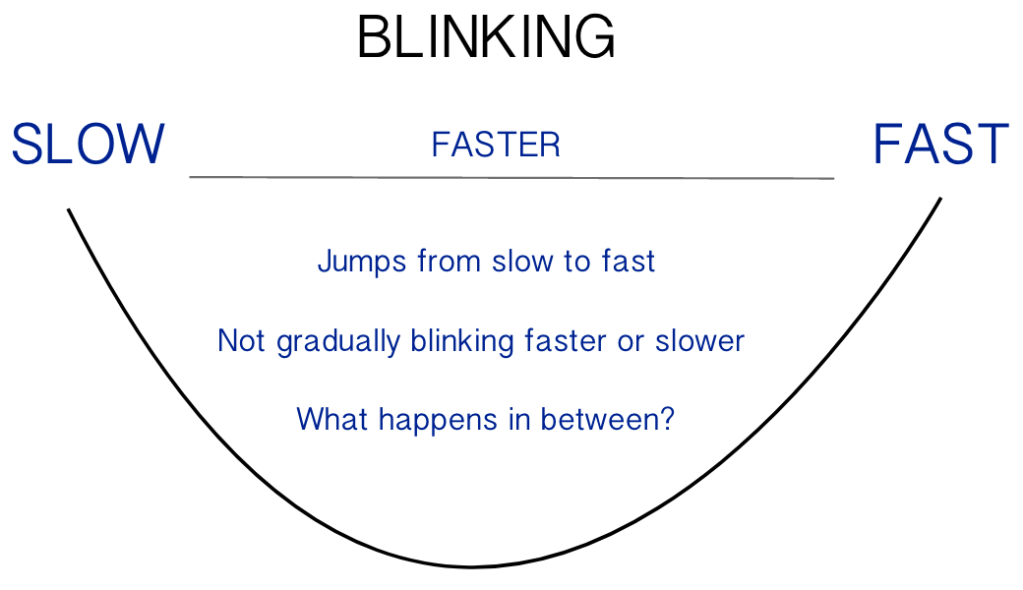
A problem that we have encountered and that Roel has noticed is that we don’t really have very much nuance in slow blinking to fast blinking (calm to stressed). What I’m trying to say is that it doesn’t gradually build up to stress, instead it goes from slow to faster to fast. Three different stages and not one stage that changes by percentage. We have tried to implement this behavior but can’t seem to make it work on the code unfortunately. If we had more time (last couple of days of last week) we would definitely dig deeper in this and make it work!
From slow blinking to fast…no gradual building of the stressful blinking…
Making of prototype
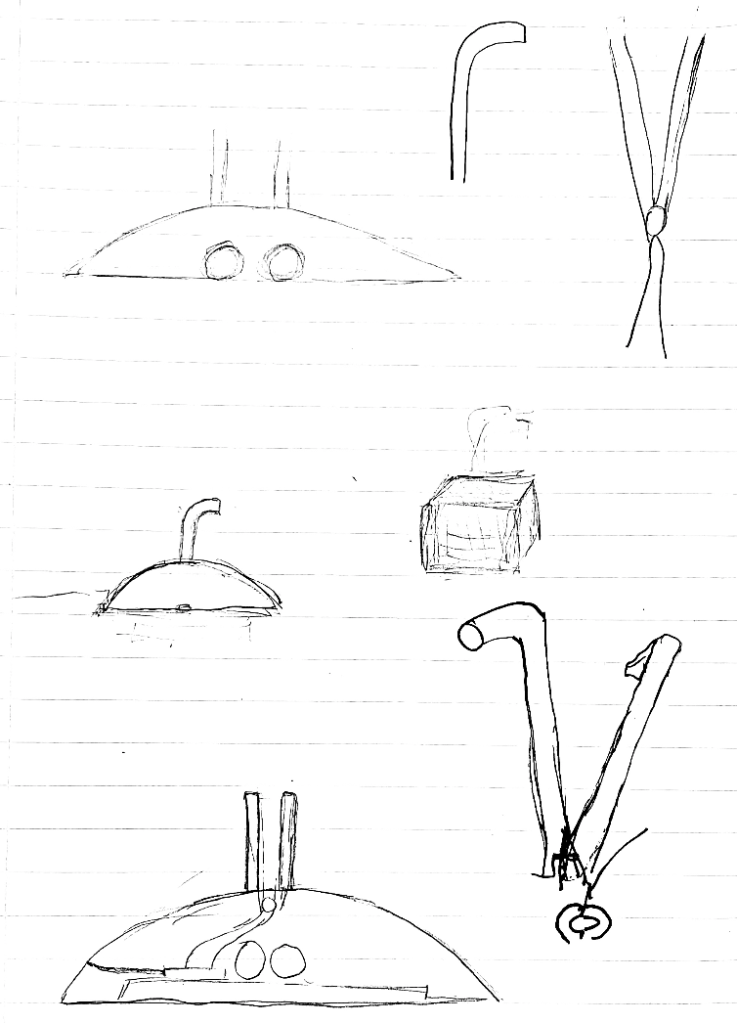
Some sketches me and my group-partner Johan made today of how we would like our prototype to look like. Mattias explained to us that there is a pipe-looking material that channels the light through it and with help of another material we could make the light stay inside of it.

It was so much fun making this prototype and being in the workshop again! I have really missed making a physical prototype. 🙂
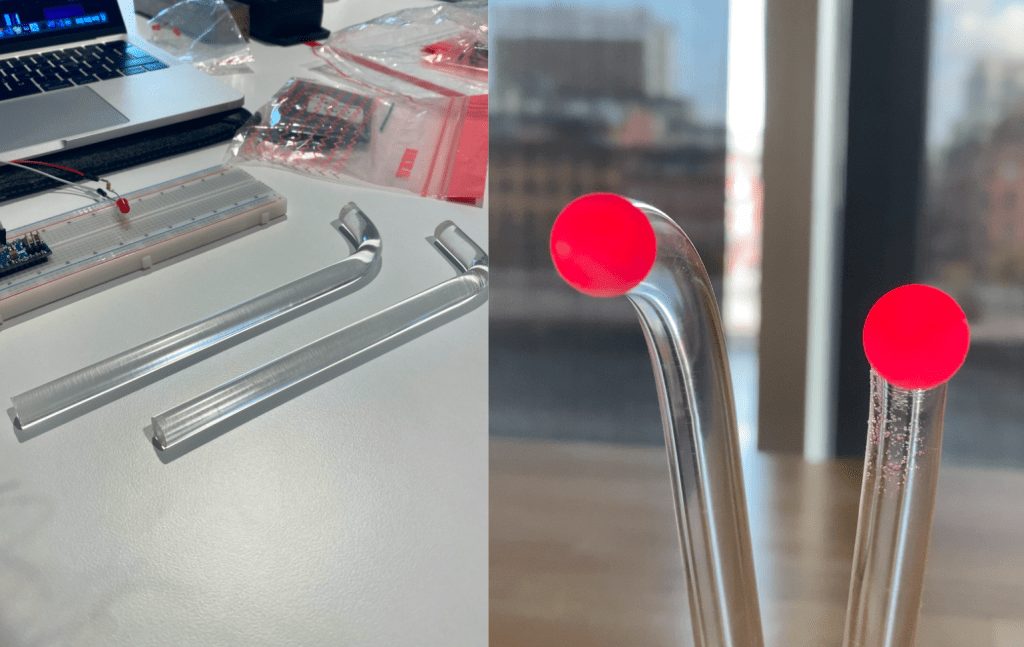
The left picture is how the material looked like after melting them and bending them to the shape we wanted to and the right picture is the result of putting the LED between these two…it is better than what we expected. We spent so much time and effort to this because we truly believed in this idea and the result was over our expectations. Thanks to Mattias for recommending this material to us and helping us.
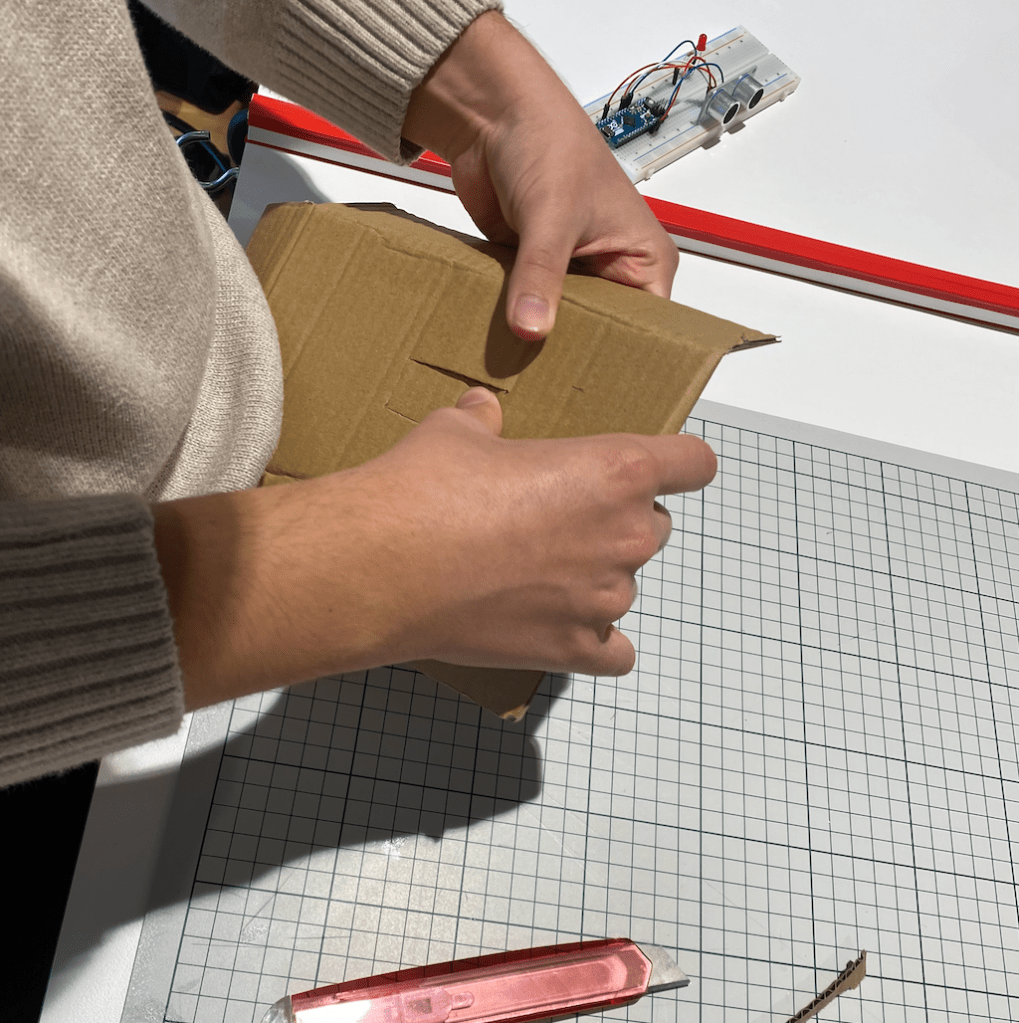
And our prototype is done!
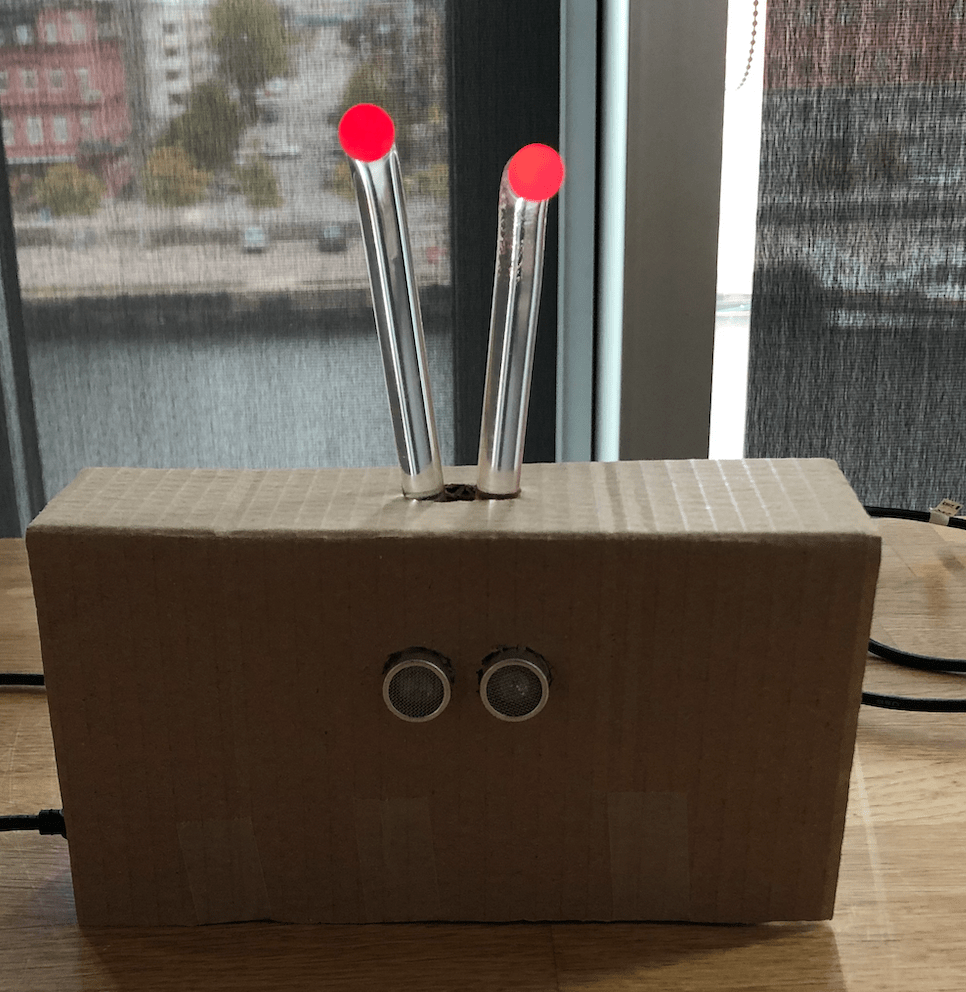

Here is the result of our prototype! We wanted to paint the cardboard black so we could take photos of it and use it in our portfolios, looks a bit more professional than just a cardboard and seeing the tape… but we didn’t have time and will do it after the show ‘n’ tell so we can put it in our portfolios. So right now, the purpose of the cardboard is to hide the LED and take away the focus of all the technical stuff to just look at the sensor and the light of course. It is also interesting because when we asked our classmates what feeling they get of looking and interacting with it we got various of answers such as one who called it a little bunny and someone else referred to it as some sci-fi creature. So this prototype is absolutely open for interpretation.
Still we did have in mind that it is an interaction with distance, so you are not supposed to touch it, squeeze it or lift it up, the interaction is simply related to your distance and we wanted to make the prototype to look like this because it is not something that you want to pick up or hold. It is not a ball-looking shape which other groups have used when using light or touch sensor. Instead we wanted the shape and look of the prototype to kind of indicate that you are not supposed to touch it and instead keep it to a spacial interaction.
Material
We are feeling satisfied with the behavior that we have given to the light and now it’s really time for us to experiment with material and see how the light expresses through it. Because we have been looking at a simple led-light but material can do so much with the experience and depending on what material you choose to use changes how the light looks and thereby changes the experience of the expression and interaction.

Interesting to see how the light reflects on the material because it creates some kind of environment instead of just a LED blinking. Instead of looking at the light, the attention is drawn to the ”walls” of the material. So it changes the experience because as mentioned, it creates an environment of blinking red light where the light is divided to the flat surfaces.
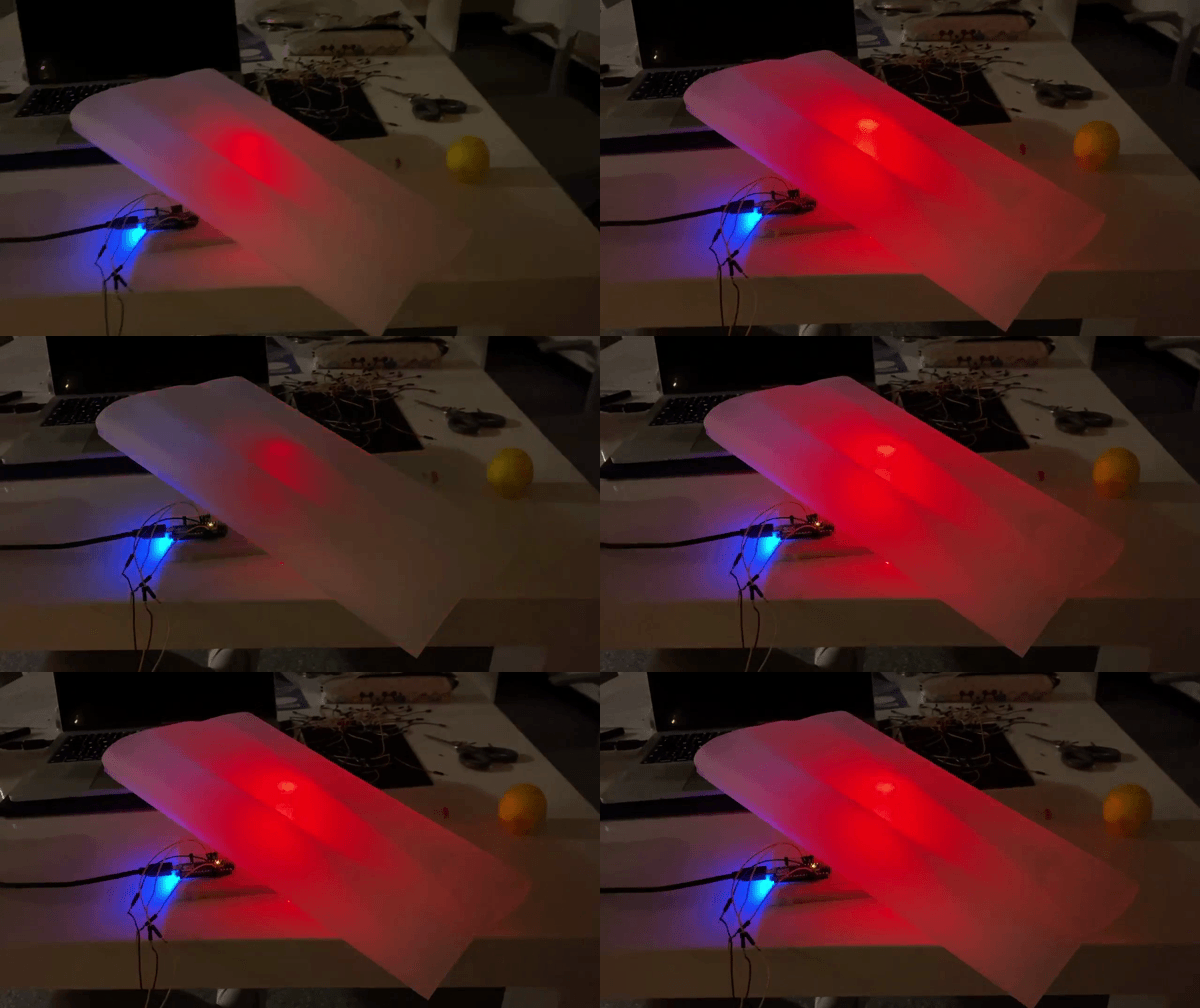
Another material we tried out, the light is divided here as well and it’s also a flat surface. The difference is that you can’t see the LED and that the light is behind the material and reflects through the material instead of only on the material. As well as another shape than the one above.

When I first saw this I immediately thought it looked like fire. But otherwise I didn’t find this interesting because, I can see the light, and that’s not want I want for the behavior that we have. As well as, it is a bottle and it just looks like there is some kind of fire as mentioned earlier, and that doesn’t really fit in our thoughts of how we want to portray our ”creature”.
After experimenting with some materials we quickly got the insight that we really wanted to create some kind of ”creature” looking thing. So we don’t want to create an environment like the first material in this post, as well as no ”fireplace”. We want to create something that gives the impression of a character and something that you get the impression that it is looking at you and observing you and your moves.

Here are some pictures that contribute as inspiration to what we kind of want to create. The red eyes in the right corner gives the feeling of an animalistic vibe. While the car above still gives an impression of eyes and that the car is observing you but with a more technical approach. The lights on the left side are some material we came think about when we brainstorm of how we could create something with one LED and make it look like two eyes. I have no idea what material it is but we have booked the whole fay for tomorrow in the workshop and hopefully Mattias will be there and help us with what material suits best for our idea. We know that we want to give the feeling of being observed by our prototype.
CALM – SCARED – PANIC
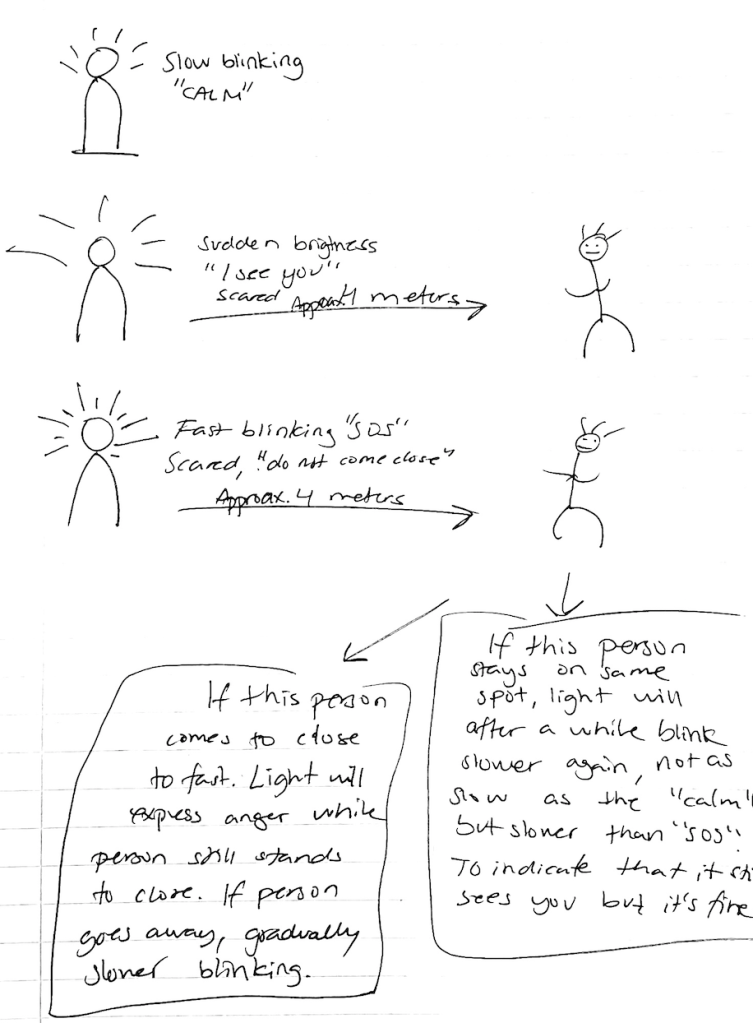
Here is the main idea of our behavior simplified with a sketch. We are going to implement this now to the LED to see how it feels to approach it this way. We will try to implement so it counts how long you are standing in a certain distance so that affects the behavior as well.
Changing of the behavior
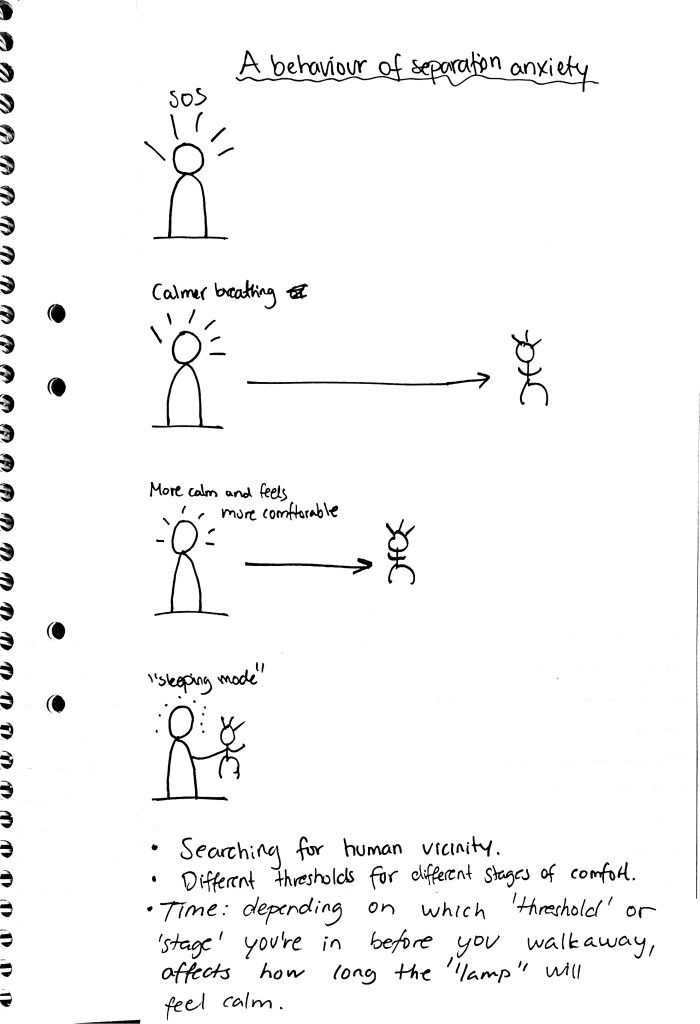
Earlier we were on this idea of creating a behavior of separation anxiety. After doing so and experimenting with it and playing around with it we sat down a discussed and reflected about how the interaction was and what we felt. We draw the conclusion that it was quite poor interaction and there was not so much provocative about this behavior and we simply did not found it to be engaging and fun.
We still wanted to stay on the same path when it comes to something being built up and quickly started discussing the thought of trust being gradually built up. We discussed animalistic behavior and how it is to approach an animal that doesn’t know you in real life and how it takes time to actually get close to an animal and thereafter, build a trust towards it. At the same time risking to scare it and even make it angry if you don’t know how to approach it the right way.
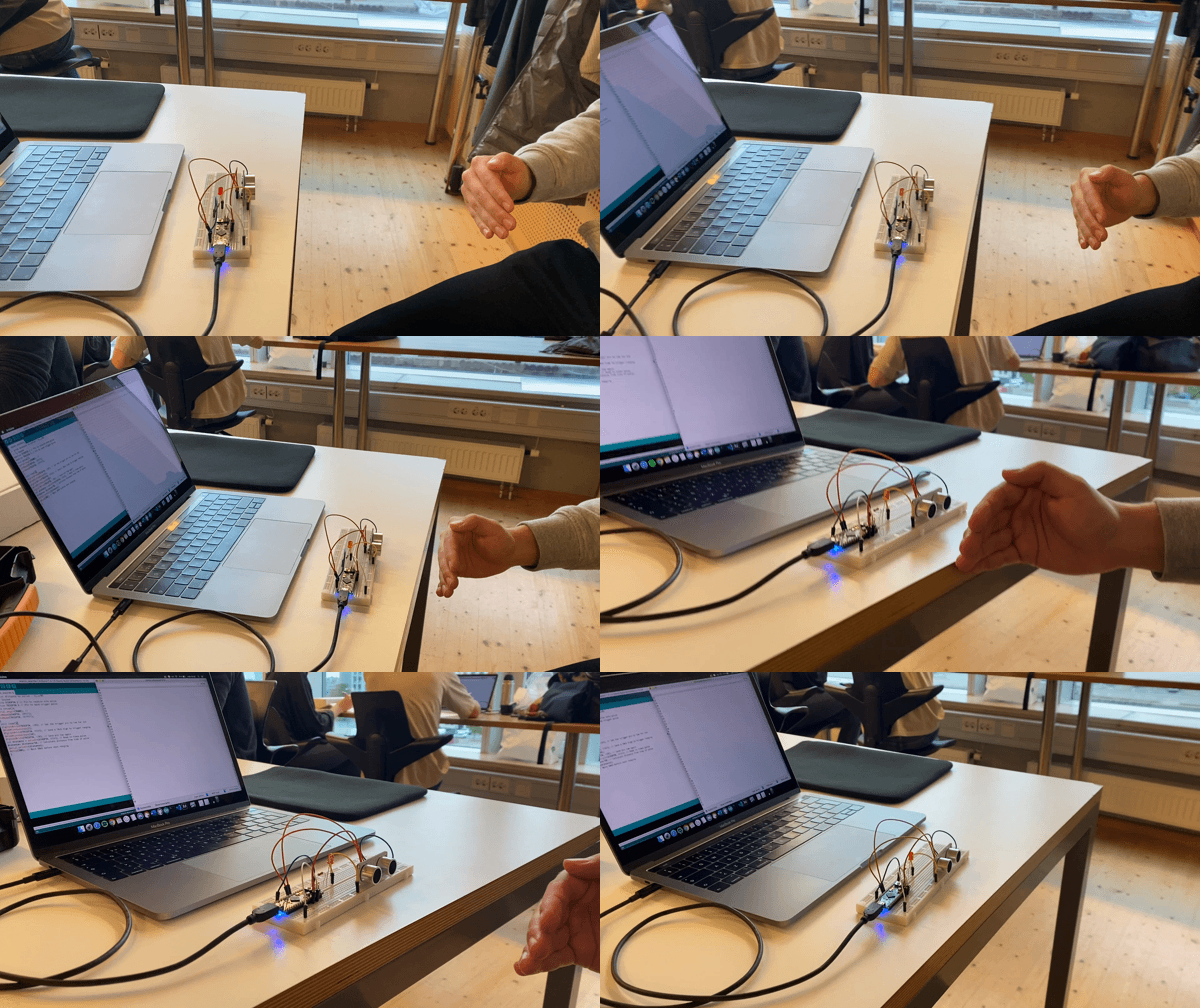
Even though we have changed the behaviour, we are still on the path of using a supersonic sensor and working with distance. We think it’s really interesting because we want to use the whole body and kind of use the space and make a spacial interaction. What can we do to work with distance in a nuanced way? Maybe implement speed and time? Depending on for how long you stand in a certain distance generates different outputs? Could we make the system to remember behaviour in order to give more nuance and make a richer interaction? Hmm, I think we are on something interesting and I am looking forward to see what next day will bring us.
Gif above illustrates how the LED is blinking calmly until the sensor detects movement – the lamp gives a sudden brightness to indicate that it sees you and starts to blink fast to indicate stress, panic, fear.
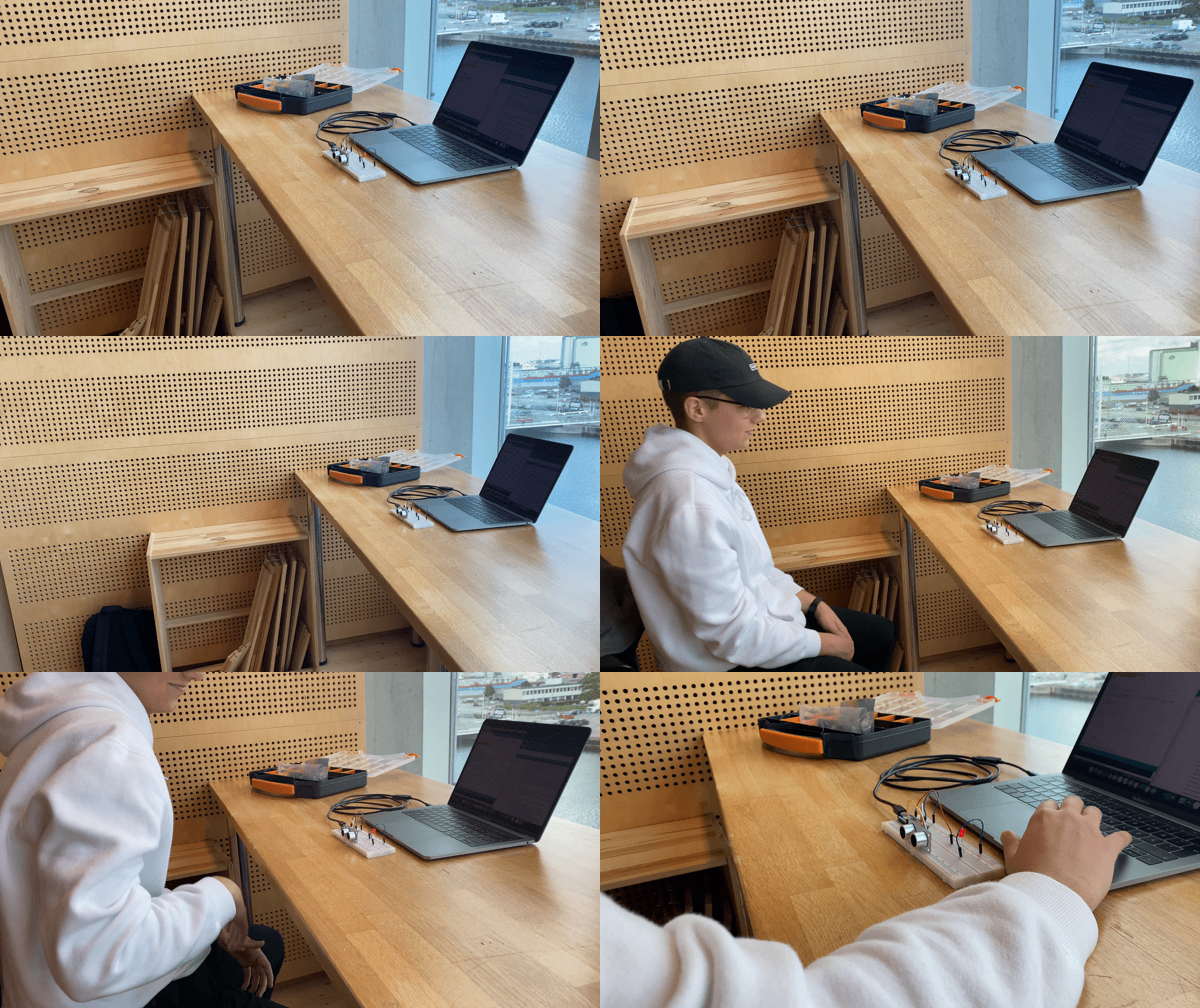
A gif of Johan approaching the LED to fast which makes it blink fast and then turn completely OFF when he is to close. This to indicate that it is scared and that you are to close so it kind of hides from you.
Conceptualizing light patterns
To detect distance we are using the HC-SR04 Ultrasonic Sensor. The monitor in the Arduino constantly spits out new values of the distance (in the gif below, distance to me) in cm. We don’t want to use only if statements in the code such as
if(distance >= 1 && distance <= 50){
changeState(OFF);
}
We hope we’ll be able to do more ”advanced” coding (haha) so it doesn’t only measure and react to specific distances but every distance between 1 & 400 cm. That’s how far the sensor can detect.
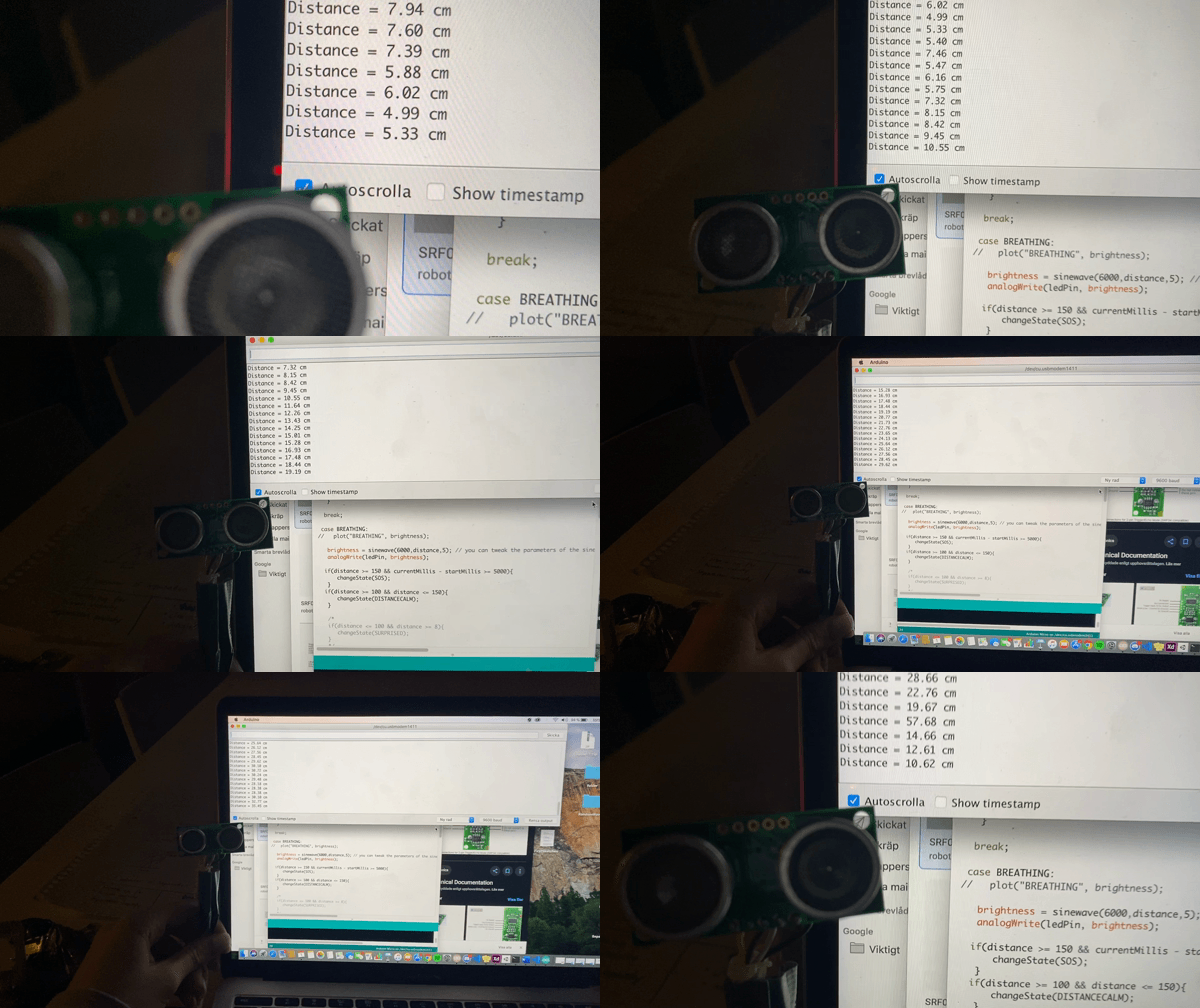
To measure distance we are using the HC-SR04 Ultrasonic Sensor and in this gif it constantly spits out what distance it measures.
Exploring light patterns
When we started exploring light patterns we first did a sketch of a calm wave showing on the plotter and when looking at the light it was a slow blinking and thats why it gave us the impression of a calm behaviour. We then implemented a stressed behaviour with a ”SOS” blinking and randomized this behavior just because we were thinking of ourselves and how we humans work. In some cases, you can just suddenly get stressed, I think we all know how we all of a sudden get stressed when we think we have lost our phone, or our wallet in a public place.
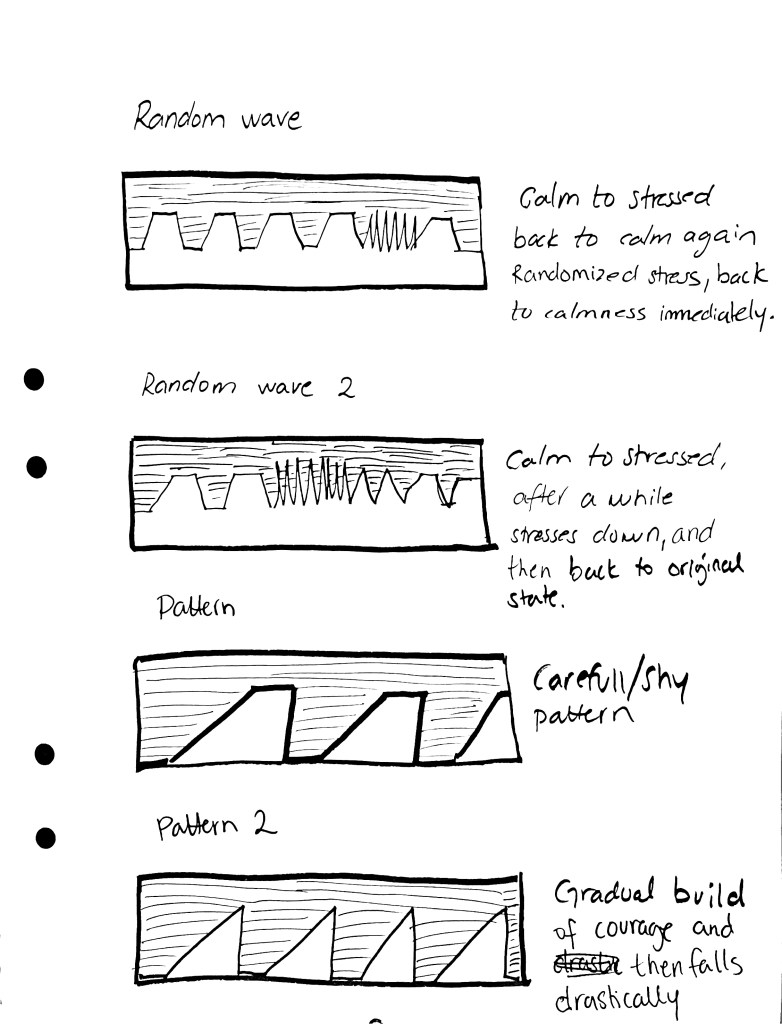

When we created this sketch on the arduino, it made us think about something being gradually built over time, thinking about emotions such as courage & trust and how in the building phase of courage it can suddenly be disrupted by a burst of fear. How can we this expression with some kind of metaphor that we could relate to?
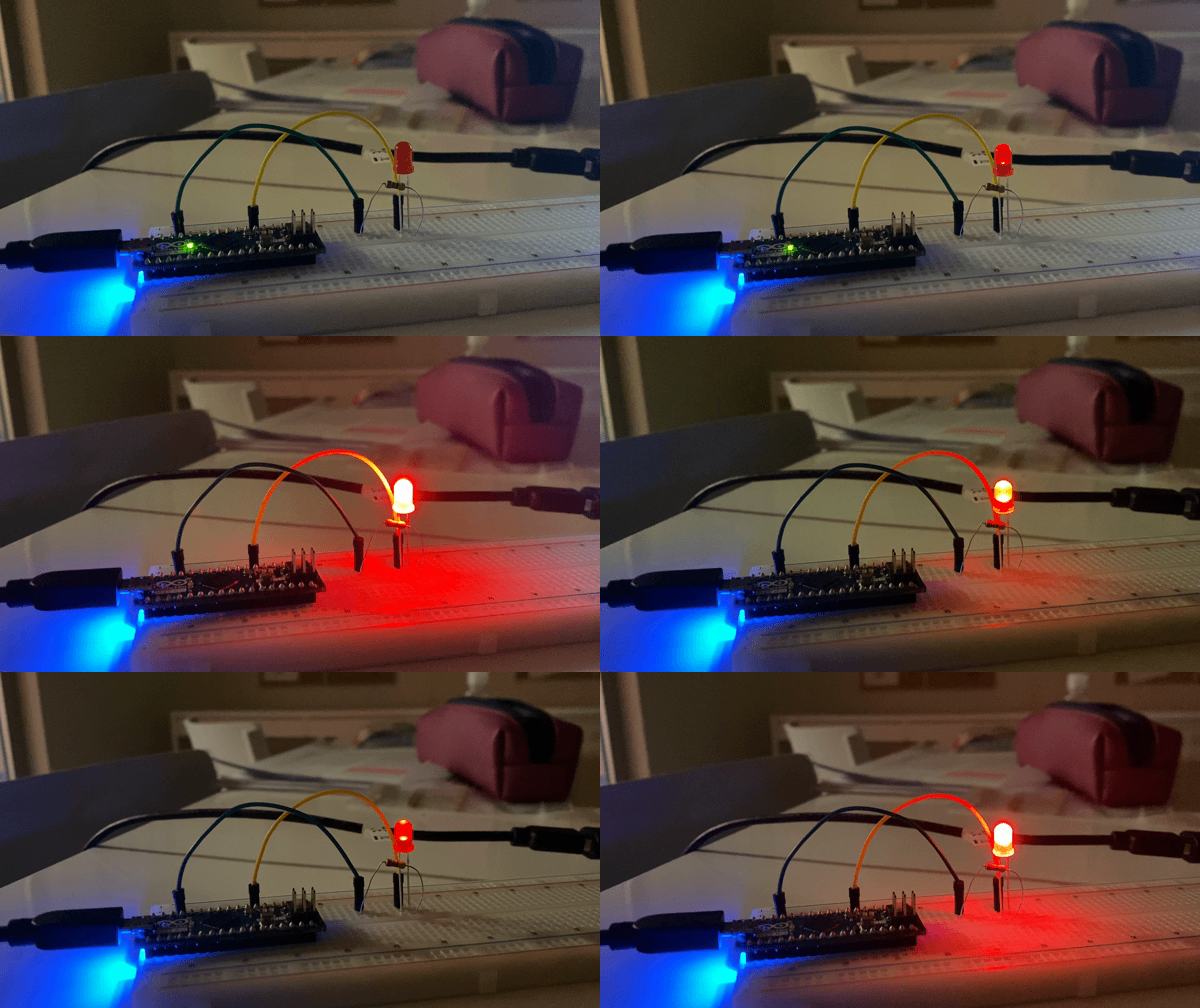
This is how the sketch looks like on the LED. Building up and then turns of immediately. So this is what made us think about courage being built up and just shuts down. We want to implement a ultrasonic sensor to this so the LED will be dependent on the sensor and when it feels something getting closer.
Unlocking the Expressivity of Point Lights (Harrison et. al)
In the paper ”Unlocking the Expressivity of Point Lights” by Harrison et.al, they write that the most commonly light behaviour that we come across today are simple: light on, light off and light blinking. They continue explaining that this vocabulary is very small and that the behaviors are not iconic, they give example of a toaster and the light on it: What does a blinking light on a toaster mean? Is the toast done or is it cooking? Lastly, they claim that people who use devices with these not so expressive light behaviors, learn what the light means by rote and they add that this is something multiple device that are used today, have in common.
Reading this made be think about all the times that I have used different kinds of devices with different light behaviors and I came across a waffle-maker that had so confusing lights. When I turned the machine on, the light was green, that seems obvious and very clear. However, there was no indication of when the waffle-maker was warm and ready to be used, secondly, when I put the batter in, the light turned red and after a while it was green again. I analyzed it as, when the waffles were done, the light would turn green but it was always a different amount of time and the waffles were never the same when the light turned green. Even today, I think i wouldn’t understand it and Im sure there was some kind of information provided somewhere but I couldn’t find it.
To be honest, I believe that every light pattern or behavior that we understand is a pattern or behavior that we have seen before. As much as I want to believe that a single point light is expressive by itself I can only think about all the behaviors that I have seen and experienced. As they mention in the article as an important note is that their participants (which they are doing experiments on, to see what light behaviors they see) are most likely influenced by light behaviors they have seen before. Me and Johan have discussed the article and will try to implement light behaviors that we have encountered before. As well as use their light behaviors that they provide in the article. To see how expressed they are on a single LED.
Lecture with Roel
Today Roel had an interesting lecture where he for instance about energy use and interaction design. He discussed how today, it is always about pursuing the newest gadgets technologies and the assumption that more computing and more energy leads to better interaction is quite implicit. And he also mentioned that all computing should be considered as resource constraints (referring to our module and the fact that we have constraints in it, eg. only one LED).
He discussed the climate change and told us that we should be thinking twice before making a decision. He showed us the website ”solar.lowtechmagazine.com” which is a solar-powered website. I really liked the concept of the website and will definitely click my way in to it and read their content.
Module 2
21/9
Today we had an introduction to module 2 where we are supposed to work with Arduino and one single LED-light. The two technical states we constrained to use are brightness/intensity and duration. The task is to explore the limits of what we can do with led, where the strengths are but as well as the limitations. This week is about getting to know the material and Roel provided different example codes via Github and explained them to us so we got an understanding of what the code does. Later on, when we know the code better and when we have tried to do some changes in the code, e.g. changed the light behaviour in a sense, we are going to discuss how to use these to express ourselves. As Roel explained for us, referring to one of the literature, light behaviour is used to communicate informational data, eg that something is happening, but also a representation of what is happening. While this was described as quality, there is also the aspect of expressivity eg What can they mean and in which context?
Our goal is to experiment towards a concept, not find solutions to problems but ask ourselves ”what is interesting?” And what do we want to dig further into? How to express emotions with single LED or even personality traits? Is the dev ice calm or anxious, shy or curious, carefully or careless… there are a lot of personality traits that can be investigated and implemented and experimented with.
What I found really interesting and fascinating is the quality of the expressivity, as the example from the slide today from something expressing that ”battery is charging” vs ”battery is charging rapidly” and ”battery charging is aaaallmoooost done”. I found it interesting because it isn’t something I usually think about, my phone giving expressing different ways depending on its the charging is almost done or if it just started charging from 1 %. How could this be expressed with one LED light and one color of the light. Not only the phone but also, with a dishwasher, how do I know much time it is left for the machine to be finished? I mean, when thinking about it, its a kind of information that I would like to know. At my parents place (I don’t own a dishwasher unfortunately), there is a light being reflected on the floor when the dishwasher in on (just as the example shown from Roels slides) but I can’t remember if it actually changes when its towards to be finished. Because that reflected light is the only thing that actually visually displays that the dishwasher is running, how could one know when it is halfway through or almost done?
When it comes to expressing emotions through LED, I found it hard to know how I would actually do that. How to express happiness versus anger or how to transition from happiness to anger…but this is something me and my classmate Johan will have to experiment with and find out.
Important to remember for me during this project is that concept should be referred as a term rather than a solution.
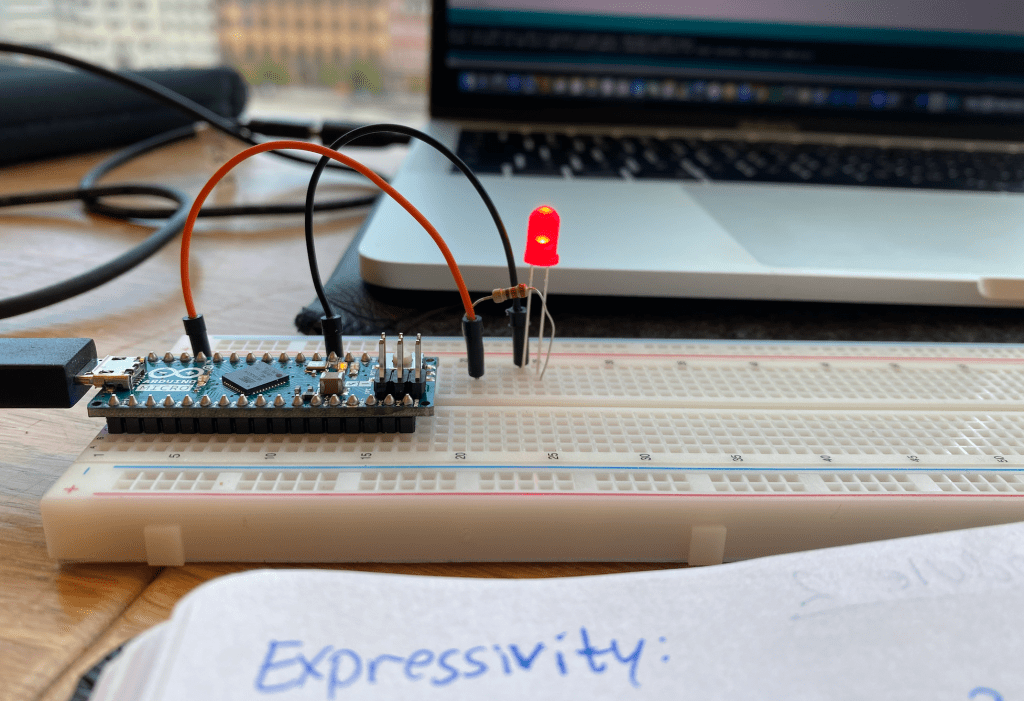
As for this week, I have to get (re)acquainted with Arduino!!! Create and explore light patterns and try to express particular contexts or emotions.
Module 1 – show ‘n’ tell and wrap up
The show ‘n’ tell is done. It has been very interesting to listen to the others show their sketches and what they have been working with these three weeks. I have to say that I can see that the majority has been struggling and I think that is because we have been focusing to much on code and misunderstanding the point of the module. Or at least, I can speak fo myself and say that I am vey disappointed of how it has went and if I would do this all over again, I would definitely try to focus more on the subject of exploring skill & sound and try to explore nuances of sound. So not only, that it is a sound as an input, but what kind of sound? And if this sound could be done in different ways?
One group inspires me a lot, they were working with nuances ways of making sound. So they created a sketch that they wanted to work as an encouraging behavior that makes you wanna do sound but differently. So not as me and Hannes where you were mostly just doing sound with your mouth…but this group tried to challenge they way of making sound and not only with your mouth, but by clapping in different ways and hitting the table etc. I do believe that is nuances from one aspect, because you are doing sound in different ways and depending on how you do them bring different outputs.
General feedback from the teacher was to focus more on the interactivity and aesthetic in turns of how does it feel? Focus on nuances and approaching it from different angles with different perspectives. And of course, do not wait til last week to actually create something yourself! Big mistake that me and Hannes made which led to doing so much the last week because we were trying to understand the code the first weeks. And a big lesson to myself: DOCUMENT EVERYTHING AND WRITE JOURNAL EVERYDAY! Had to write it in caps because I have to do that, much easier for me to follow my process and my iterations and thoughts.
I am grateful for the insights that I have got that has been written down in here. It has been very challenging for me but I really think that I will start the next module with more confidence and use what I have learned during these weeks. Thanks to the teachers and especially Clint for an interesting and educative module! I hope to be working with sound as input in more projects, a new approach that I had never worked with before this module.
Remember Christina – document everything and write down your thoughts/struggles/iterations/ideas in your journal every day!!!!!
Last week of Module 1!!!
Wow, this module has gone tooo fast! Me and Hannes has been to busy with code and trying to understand what we are doing and being to shy to actually discuss the subject of skill & sound and nuances in sound! We have created a bouncing ball inside of a canvas and we have managed to make it react to sound..yey!!!! That’s progress, to bad we have been struggling with code so much that we are doing this the last week! But we still have time. We have both read the paper ”Easy doesn’t do it: skill and expression in tangible aesthetics” by Djajadiningrat et. al (2007). And there was one specific part of the paper that caught both of our interests, they write about a drawer that gives the impression of having a character because it is being a little bit stubborn. When someone pushes it to close it, the drawer jumps back out a bit and then slowly closes. In some ways it is giving the impression that it is fighting the user and then finally gives in. That’s pretty cool I would say, that the instant feedback from doing something is the opposite of what you did, as they write in the paper. And I can really see how this creates some kind of stubborn behavior to the drawer.
Hoping to achieve this kind of experience with our bouncing ball we have implemented an own behavior to it which is the bouncing. So whether you come with an input or not, the ball will be bouncing around in the canvas. And with the input, we don’t want to completely change the character of the ball but maybe the behavior. So we can make it bounce faster but we can not prevent it from bouncing completely.
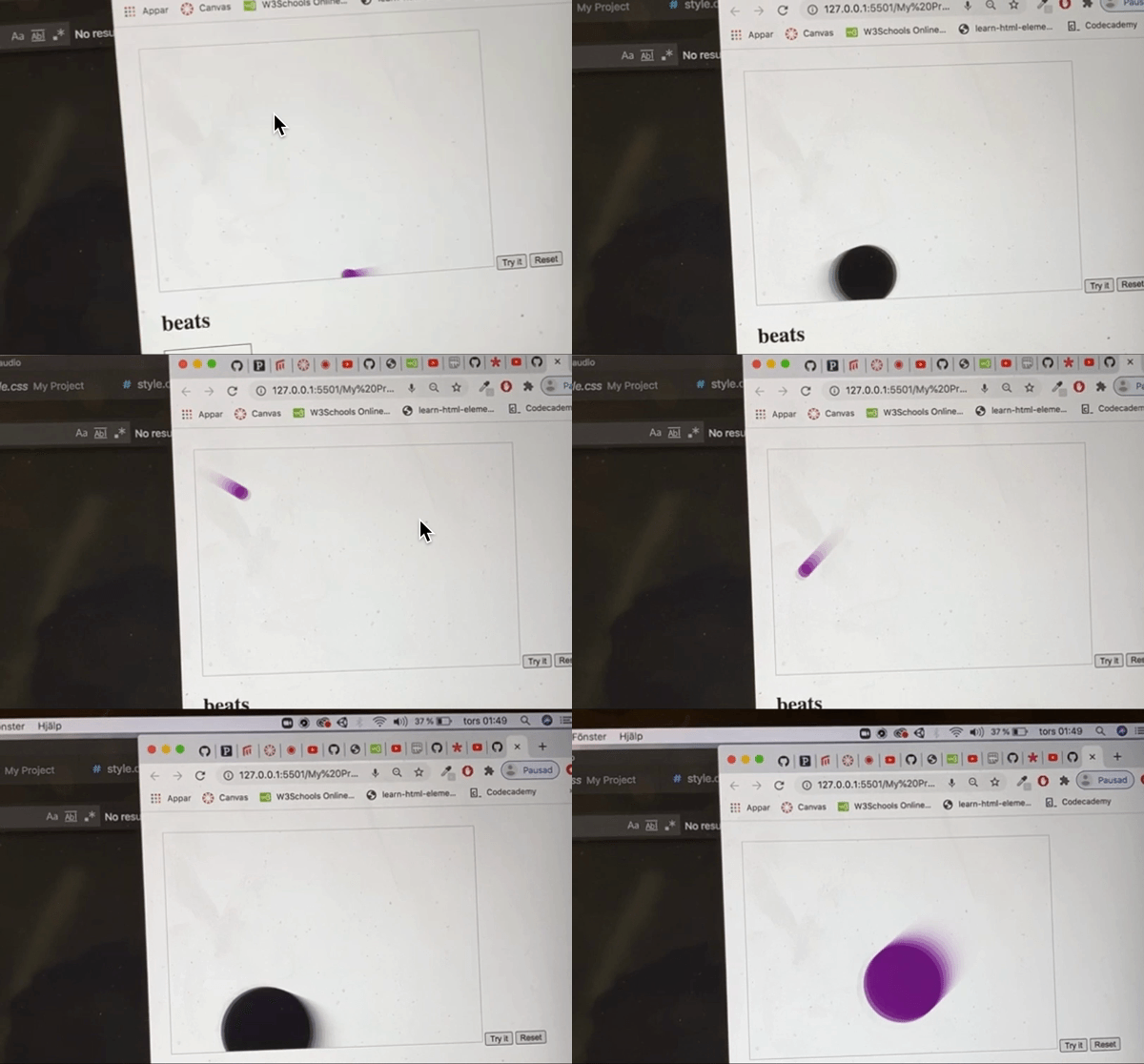
In the gif above, the ball t does not only react to Bpm, but to frequency as well, when making sound that is low pitch, the radius gets bigger, while creating a high pitch (whistling), the color changes. What’s interesting is how the ball doesn’t immediately react on the given input when slowing down, instead it takes its own time by having a certain delay, which can create both a confusion of what is happening (why isn’t it immediately slowing down when I’m making a slower sound, because it immediately changes color when reaching a high pitch) but at the same time it creates an awareness of the ball having its own behavior in a sense. Knowing that we can manipulate and influence the ball to change color and become bigger creates the impression of knowing the ball as a character, but when we realize that the ball is unexpectedly being stubborn by not instantly responding to our input when slowing down, thats when we see the opportunity of creating a relationship to the ball and when knowing the ball, you can play around with it in a sense.
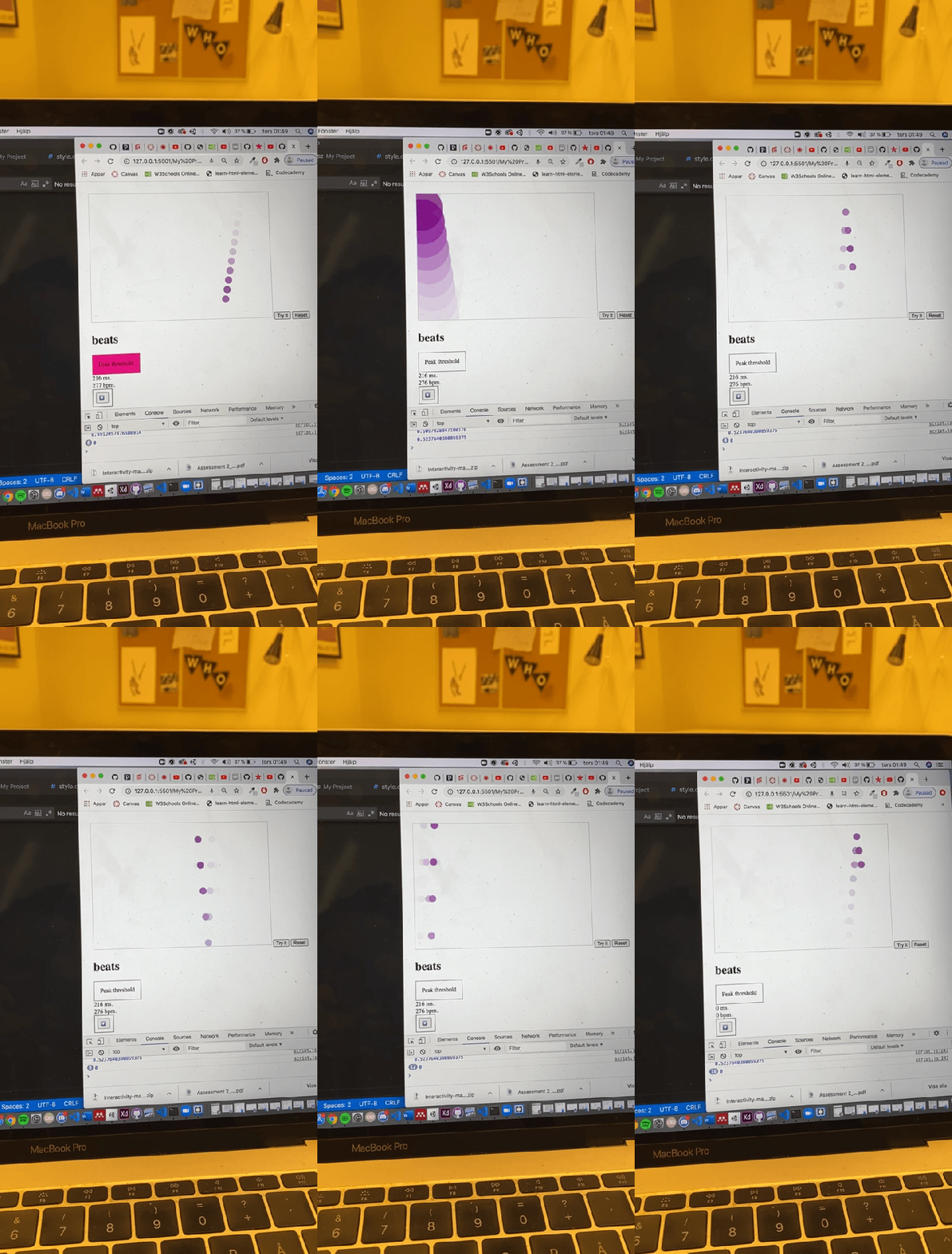
But if you don’t try to get to know it and be careful with the input you are giving you will eventually loose control of the speed for a while.
Why is it interesting when losing control of the speed?
While we constantly are able to control the color and increasing and decreasing of the radius, the unexpected reaction of the ball going ‘crazy’, creates both confusion and awareness. It can also be perceived as a challenge in a sense and make room for competence; When having the knowledge that the ball goes beyond my control, it can create the question of “what I can do in order to prevent it from happening?” or maybe even “In what way can I do it in order to prevent it from happening. And we perceive this as being playful and creating a relationship between the user and the ball.
This is what we got for the show and tell. I have been very bad at documenting our process and our sketches. Definitely something that I will bring to next modules!
Implementing interactivity
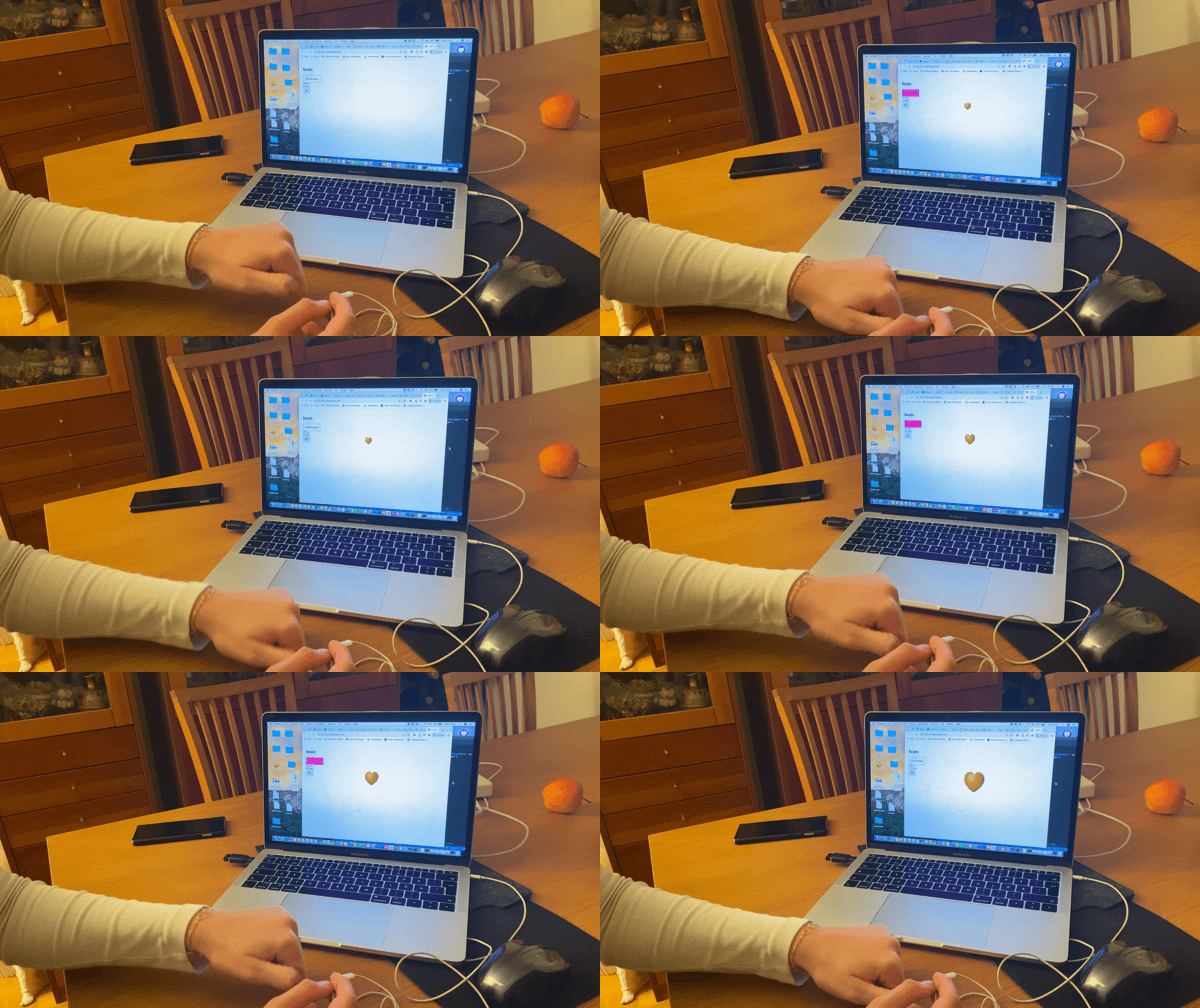
Today we have implemented interactivity to a heart. So depending on the BpM, the heart will become bigger. Even though something is happening on the screen and there is an interaction…it is quite boring and poor interaction. Because it only reacts to Bpm first of all and secondly, there is no sign of own behavior and will in this heart. It is completely controlled by the input that is given. As the previous post I ask myself. How to implement an impression of own behavior and will on the screen? And then affecting it to only a certain amount but not controlling it completely?
Feeling a bit confused….
I am a bit behind with the reflective journal and have to include thoughts that ive involved from literature and I have to take more time to actually sit and reflect: ”okay, what have I learned”. My biggest issue is the technical part and Im really struggling to actually do what I want to do with the code. Me and Hannes discuss a lot about different nuances of sound and how they would look like or what feedback they would give etc…but when it comes to actually doing it, thats when I am lost…So I really have to put down a lot to time and effort to get it to work and sometimes I feel like I’m asking stupid questions to the teachers because there are so many stuff that I actually do not understand…but I am here to learn and get better so everything is a part of that process.
Whats positive though is that I got inspiration from Clints last lecture on Zoom where he showed us a sketch on canvas called ”recent”. I immediately after tried to create a sketch myself and created a circle, nothing extraordinary but still something… after doing that I wanted the circle to move bounce inside of the canvas and so far I have managed to do that. My problem is that I dont know how to get it to react to Audio input. This is due to my lack of knowledge to be honest and I feel very stupid for not getting it correct…I have to turn to my teacher or my classmates to get help with that. Because if I manage to do that, the possibilities are plenty. Then I can make it to react do different stuff such as Amplitude, frequency, BPM etc…by making the ball bounce faster depending if it reaches a special threshold and combine it with different thresholds that influences they way the ball behaves. I don’t want sound to be a source of change in behaviour, more like a source of impacting the different nuances of sound. As mentioned, this is inspired by the sketch made by Clint ”recent” where the object has its own behaviour and even if it gets influenced by sound it still has its own way of behaving in a sense. I think its hard to put it to words but hopefully I will manage to show it through the sketch that I want to create.
So my plan now is to rest a bit from all this codes and then get the ball to react to sound! After that its time to discuss with my partner in crime – Hannes, what kind of character and behaviour we want from the ball as well as what kind of nuances there are in sound. Most importantly, start reflecting more and read the literature provided for the course again and again until I feel Ive got most of them! And of course, right about it in my journal.
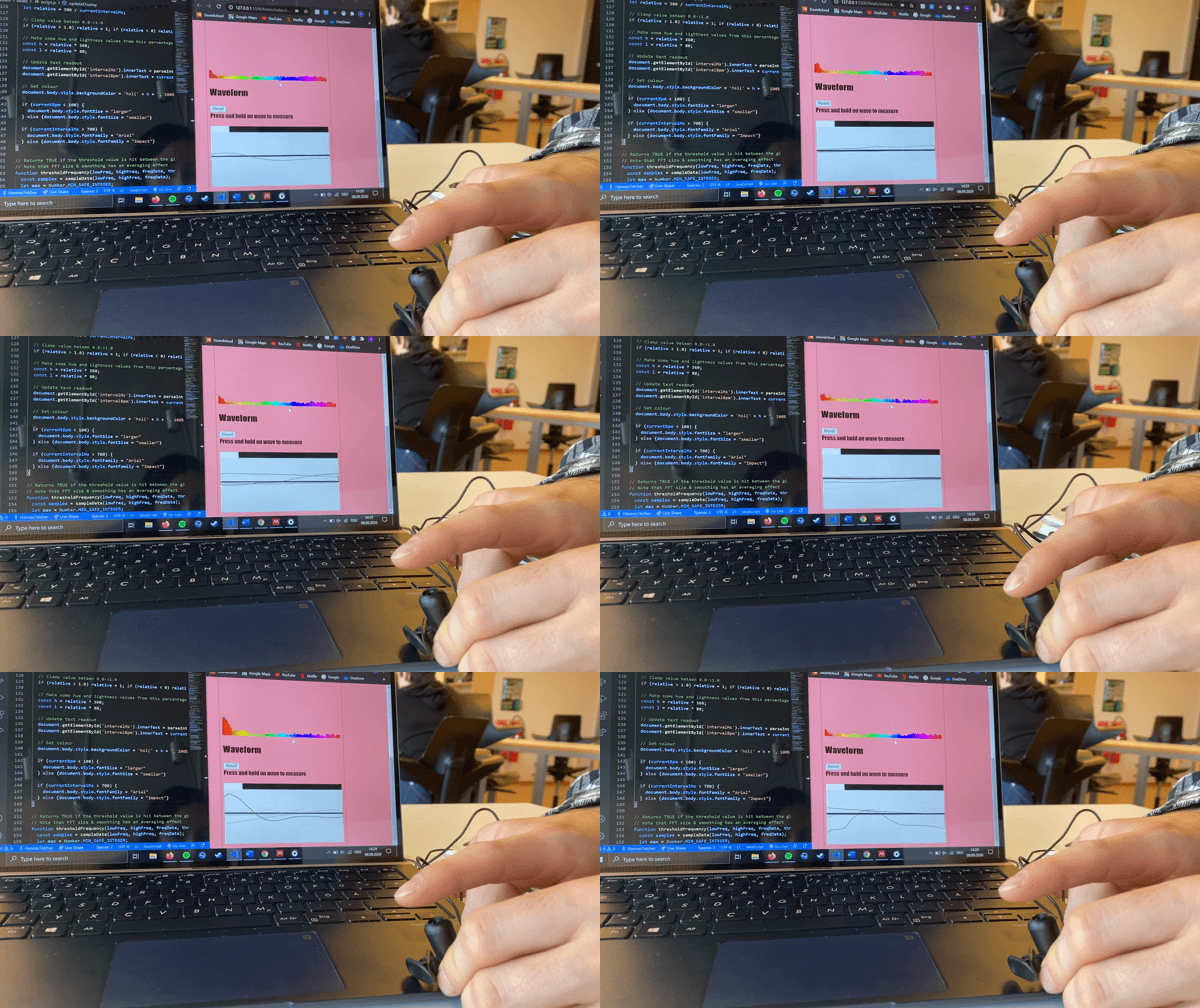
Me and Hannes playing around with the code to see if we can find an interesting aspect of this.
Interaction Aesthetics and Interaction Attributes
In todays lecture Clint presented interaction aesthetics, which was familiar from the previous Studio course. What was new for me was the interaction attributes that we read about in ”Exploring relationships between interaction attributes and experience” by Lenz, Diefenbach & Hassenzahl (2013). I have never thought about designs feeling beautiful to use. Clint opened my eyes during the presentation that something that looks beautiful could still be ugly to use because there is a difference which could easily be explained by: Aesthetics of form ‘looks beautiful’ while aesthetic of use ‘feels beautiful’. As mentioned earlier, this is familiar to me from the Studio course were we talked a lot about how something feels to use and not how it looks. And even though its understandable that something that looks great could feel ugly, its hard to actually put it to work. What Im trying to say is that, when I designed something from previous courses, I looked a lot on the aesthetics of it, in forms of ‘looking beautiful’. What I didn’t understand and what still struggle is to understand the aesthetics of use while actually designing something.
After the lecture we got a group assignment to explore on of the terms from the interaction vocabulary. Me, Lucas, Axel, Clara and Felicia chose the same terms and became thereby a group. The assignment was to record different functions to show (we chose gentle – powerful). We first started to discuss the words gentle and powerful and what they mean.

Skill & Sound
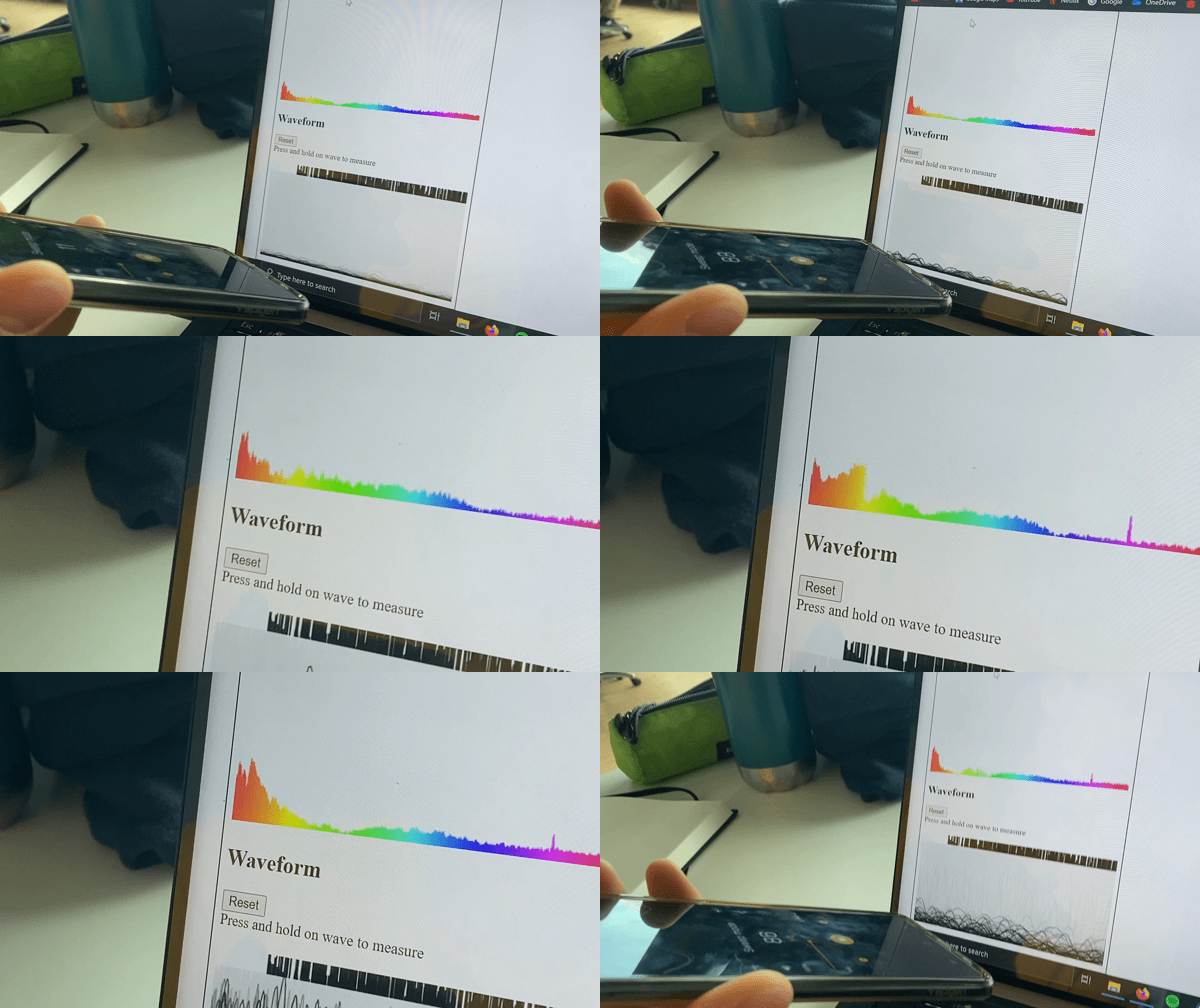
Today me and Hannes tried to do some changes in the code that are suggested in the ReadMe’s. Considering no one of us have ever worked with sound in this way and are not super familiar with the terms being used, eg. amplitude, frequency, hertz… we have been struggling a bit to understand the code. Luckily before the coaching started, Roelof had an introduction about sound and explained that when you talk about sound, you talk about soundwaves and continued to explain the terms in a simple and understanding way.

This helped me to understand sound and the terms: Hz, Amplitude, Frequency. Sometimes, a sketch and quick explanations of the terms is the best learning tool for me. I go back and look at these notes sometimes just to remind myself of what amplitude is because sometimes I forget so its helpful to have a sketch of soundwaves and explanation of the terms close to hand.
As mentioned before, we used the readme provided by Clint. Me and Hannes adjusted the frequency threshold detection to a new range and tried to understand at what range we could see a difference. Doing different sounds and using some frequency apps on the phone to get different sounds. Our goal was to just play around and tinker with the code in order to try to understand it. For me personally, its very hard and I know that I have to put down a lot of time in this and thats what I will do.
var hit = thresholdFrequency(0, 80, freq, -70);
Maybe its small steps but to be honest, at first I didn’t even understand what the numbers ”0, 80” was and role they played, after experimenting a bit and reading the code I know know that this frequency threshold only responds to sound in the bass region which is 0-80Hz – it is explained in the ReadMe.
What I changed wasn’t much, I simply changed the frequency range from -70 to -45 and got the insight that it doesn’t respond as much to sounds, when I changed it to -100, the threshold detection responded all the time. So that was interesting to see, what that simple change did. What I would like to do further is experiment with the other codes as well. I am just trying to understand the code as much as I can, as I mentioned earlier, it is very difficult for me and I am having a bit of a rough start. But I am excited to understand more and learn during the lectures and at home as well.
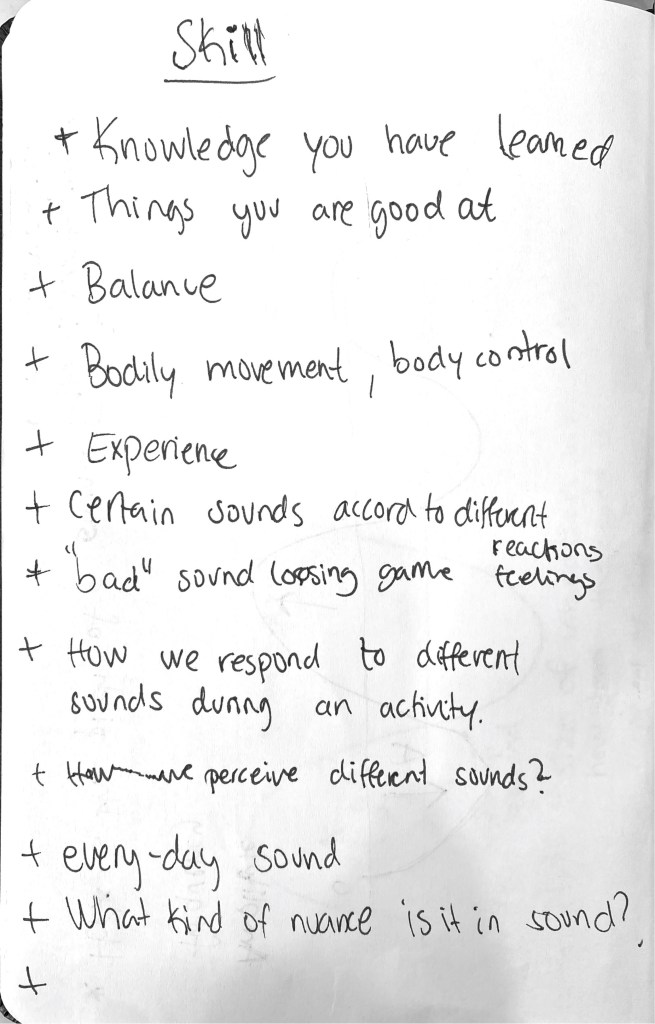
Journal and first thoughts about the module
Back to school! New course called Interactivity and we’ve been divided in to pairs and my partner is Hannes. The first task we got was to share each others journals and share the feedback we got of them. Our journals was a bit different being that I had maybe too much text and Hannes had maybe to little text. What we learned from each other was to keep our journal up to date because we were both struggling last time due to not writing in time. Write more about what we have discovered and learned, and less of what we have actually done. I got quite good feedback on my last journal and I’m planning to continue to write the similar way. What I did was to always ask myself some questions ”What have I learned?” ”What could I have done better?” ”What am I satisfied with and what not?” This way it is easier for me to actually write the journal and write my insights and thoughts.
My thoughts on the first assignment are a bit mixed. Skill & Sound! I am excited to learn new things and at the same time confused of what the task is. I am going to read the literature provided by our teacher Clint and try to see if I get some inspiration and develop new thoughts. Tomorrow it is time for coaching in the morning and lecture in the afternoon. Me and Hannes have decided to read read read literature and write down some things that caught our attention so we can discuss tomorrow and hopefully get somewhere.
First brainstorm me and Hannes had was to justify what we see as a skill. After writing down some notes and discussing about it we had some concrete examples of what skill is but they were mostly connected to different sports or occasions and after talking to Clint, we realized that we shouldn’t get to distracted with the word skill in the beginning. Instead try to tinker with the code, test the possibilities and boundaries and from there, try to create something…and whilst doing that, think of different nuances of sound and how it can be displayed and how the interaction would occur.
For me personally, I do have a hard time finding the connection between skill & sound. I know what sound is….something you can hear, it can be music playing from my computer, sound of a door being opened, sound of waves in the ocean, or maybe one of my favorite sound: hearing raindrops outside of the window when Im cozied up in bed with a cup of tea. Why is that one of my favorite sounds? Maybe thats not so interesting but thats at least something I have started to think about lately after being introduced to this assignment. However, this could maybe be a sound connected to a special occasion which makes me like it. Ive always liked the sound of rain and it has always had a calming effect on me. But this is my personal aspect of sound of the rain and this doesn’t help me anything with me assignment right now so its a dead-end…
 Christinas blog